🌐 Client Portal & CRM

Win the work.
Keep the client close.

Routine's built-in CRM tracks the companies, contacts, and deals that win you work — and the Client Portal gives every client one live, cross-module view of their production, plus a way to talk straight to your team. Two shared tools, on every plan, no extra licence.

Client Portal

One link. Everything you're doing for them.

Send a client a single secure link and they see their production across Production, Marketing, Distribution, and Post — no matter which team or office is doing the work. You control exactly what's visible.

🔗

One link, no accounts

A secure token link opens a live view of the client's production. No sign-up, no password to reset — the pattern proven across Routine's external access.

🧩

Cross-module by design

Production milestones, marketing, distribution, and post status in one place — so the client sees the whole picture, not four disconnected updates.

👁

You choose what shows

Toggle each module on or off per portal. Show a client Production and Marketing, keep Post internal — decided per link, changeable any time.

💬

Two-way messaging

Clients reply from the portal and your team answers from a unified inbox. Every message is attributable, with an email-verified identity.

🔄

Always live

Changes your team makes are reflected on the client's view automatically. No re-exporting a status deck, no stale PDF doing the rounds.

🔒

Secure & auditable

Reads are view-only by token; every client message requires a verified email code. An audit trail built for Disney/Apple-grade accountability.

The client's view

A live status page your client actually wants to open.

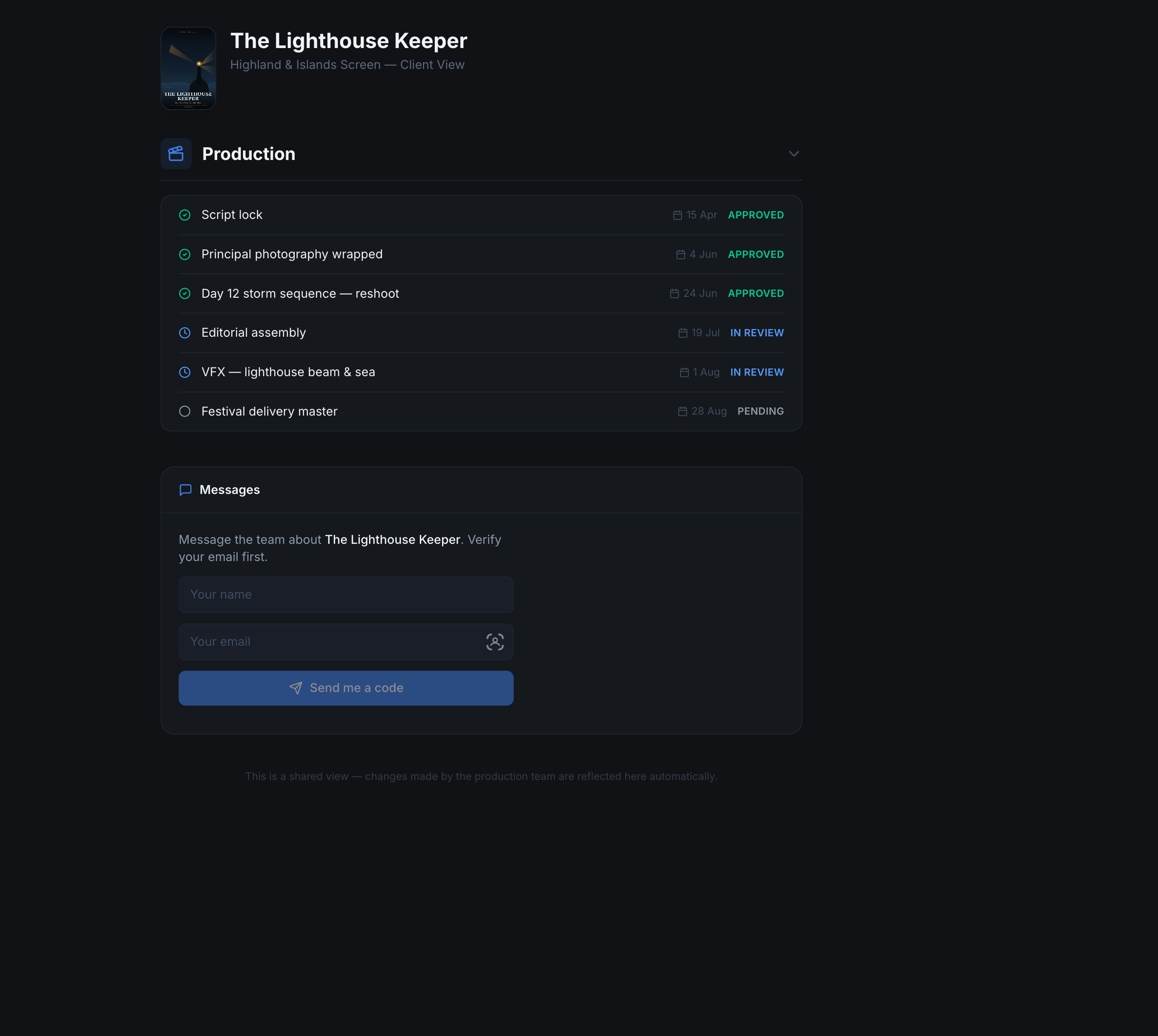
The client lands on a clean, branded view of their production — milestones with clear statuses (approved, in review, pending) and dates — and a message box to reach the team. It's the shared surface an agency or studio can hand to any client, on any device.

Status the client understands. Approved, in review, pending — with dates — instead of internal jargon and task IDs.

Client-safe by default. They see the milestones that matter, never your scenes, breakdowns, or call sheets.

"Changes are reflected here automatically." The portal states it plainly — this is the live view, not a snapshot.

Client Portal · The Lighthouse Keeper · Client View
Routine client portal showing a production's milestones with approved, in review, and pending statuses, plus a message box for the client
Client Portal · Portals · Edit
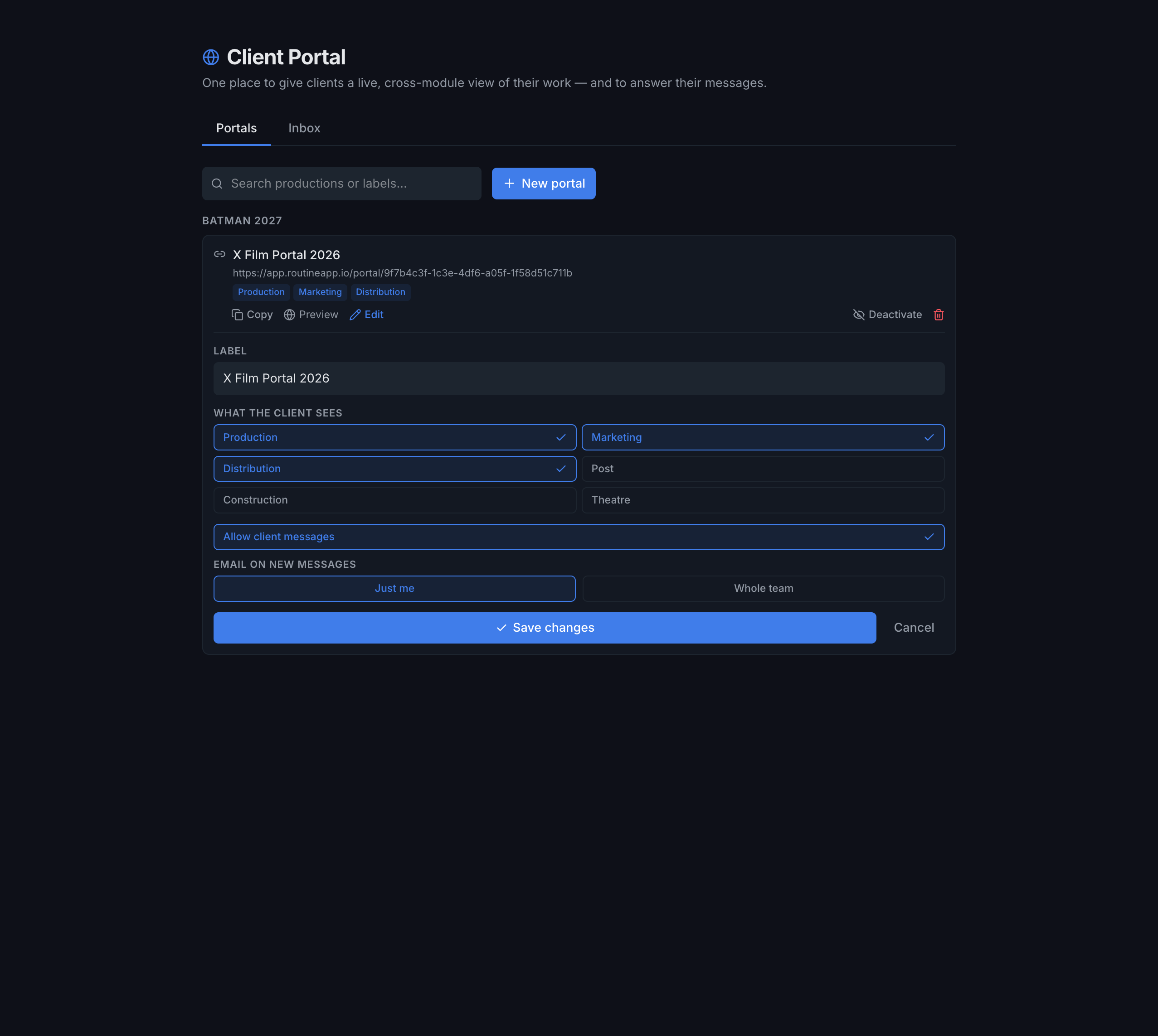
Routine client portal management showing a portal link with module visibility toggles, allow client messages, and email-on-new-message options
You're in control

Configure once. Copy the link. Done.

Create a portal for any production and label it for the client. Choose exactly which modules they see, decide whether they can message you, and pick who gets emailed when they do. Copy, preview, deactivate, or edit any time — all portals live in one place, grouped by production.

Per-module visibility. Tick Production, Marketing, Distribution, Post, and more — the client only ever sees what you enable.

Messaging on your terms. Allow client messages, and route new-message emails to just you or the whole team.

Manage from anywhere. Create portals from any production; the Portals tab lists them all, ready to copy or deactivate.

Unified inbox

Every client conversation, in one thread.

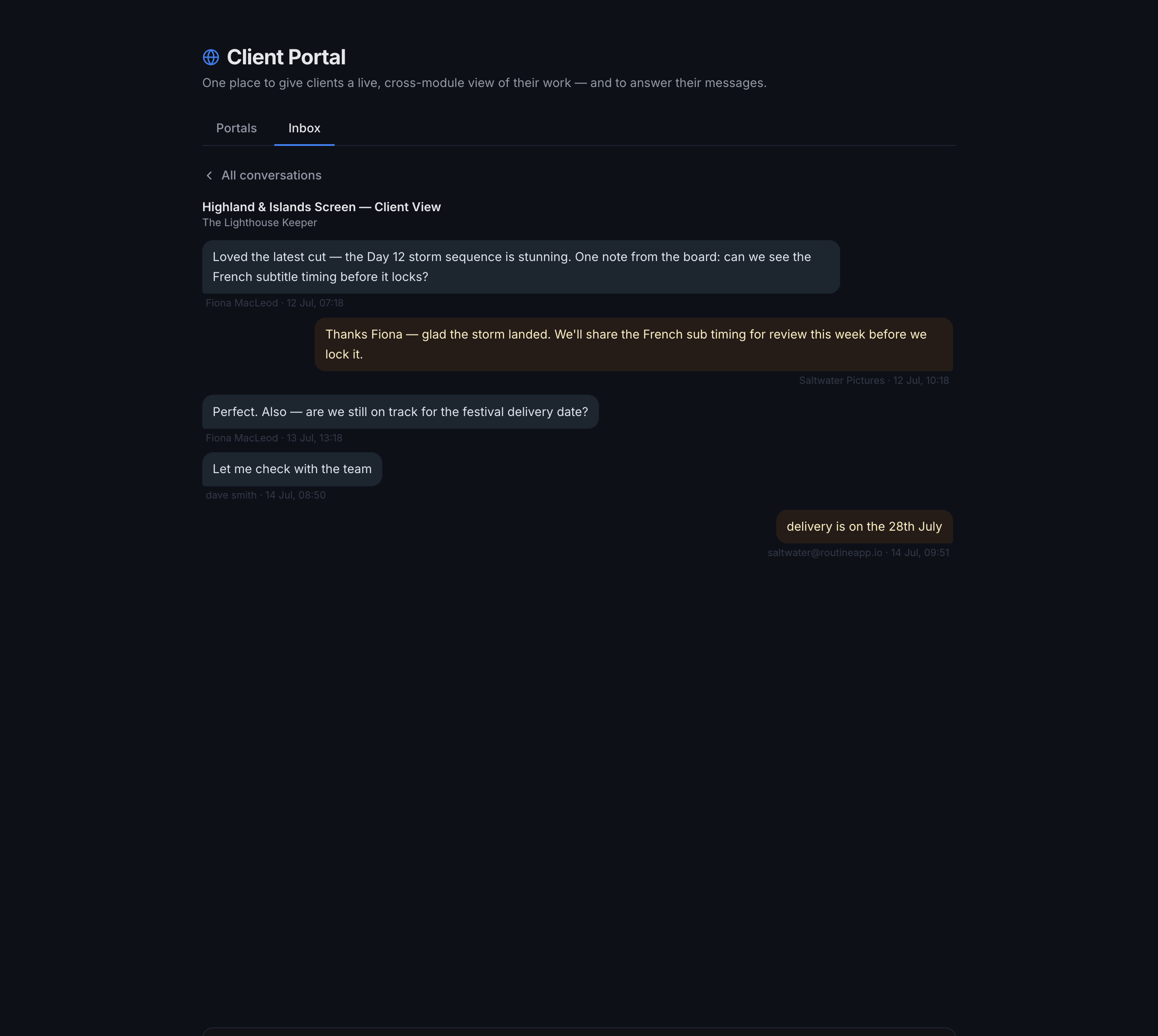
When a client replies from their portal, it lands in your Inbox — client messages on one side, your team's on the other, each attributed by name and timestamp. Answer from Routine and it appears on their portal instantly. No email threads to lose, no "did the board see this?"

Client Portal · Inbox · Highland & Islands Screen
Routine client portal inbox showing a two-way conversation between a client and the production team with names and timestamps
CRM · a HubSpot alternative, built in

Track the relationships that win the work.

Routine's CRM is a shared tool on every plan — companies, contacts, and a deal pipeline that flows straight into delivery. When a deal is won, it becomes a production in the right module in one click. No separate sales tool, no re-keying, no gap between selling the job and doing it.

Your deal pipeline

Lead
New enquiry
Qualified
Worth pursuing
Proposal
Quote sent
Negotiation
Closing terms
Won → Job
Convert to production
🏢

Companies & contacts

A shared directory of the studios, agencies, and people you work with — contact details, industry, and history, visible to your whole team.

📊

Deal pipeline

Move deals through your stages from lead to won, with value tracking. One clean funnel the whole team reads the same way.

🏷

Tags

Colour-coded, free-text tags on contacts, companies, and deals — slice the funnel by venture, sector, or anything you like, and filter instantly.

📁

Company documents

Store contracts, NDAs, proposals, and invoices against a company in private, org-scoped storage — downloads via short-lived signed links.

🤝

Deal → job handoff

Mark a deal Won and convert it to a production in the right module. The client is linked, not copied — one company, one record, no duplicates.

🌐

Shared, not siloed

The CRM feeds the modules that deliver. Win it in the CRM, deliver it in Production, keep the client updated in the Portal — one connected loop.

How it fits together: the CRM wins the work, the modules deliver it, and the Client Portal keeps the client in the loop. A won deal becomes a job in the relevant module; that job carries a linked, de-duplicated projection of the CRM company — so the delivery client is never an orphan copy. Once there are stages and items to show, you spin up a Client Portal off the job. Sell, deliver, update — one platform, one thread.
Early access

Sell it, deliver it, keep the client close.

Tell us about your team and we'll show you the CRM and Client Portal in action.

No spam. No commitments.