Campaigns, budgets, assets, approvals, scheduling, intake forms, and templates — everything your film and content marketing team needs to run every release, all in one place.
One module, every stage of your marketing operation — from campaign setup to final asset approval.
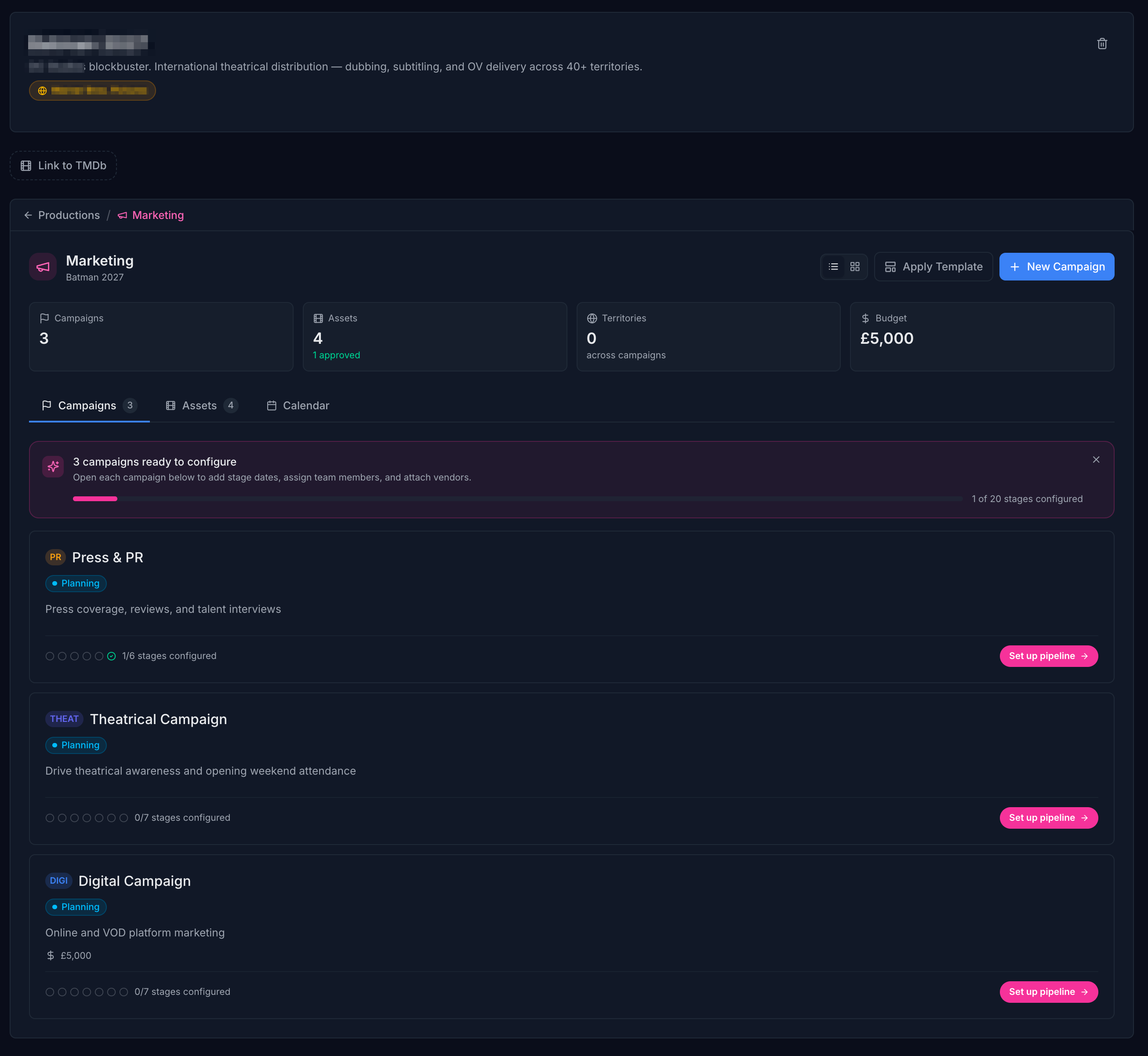
Create campaigns linked to your productions — theatrical, digital, social, press, and awards. Track every campaign from kickoff to launch in one view.
Configurable pipeline stages per campaign type. See exactly where each campaign stands — what's in progress, what's delayed, and what needs a decision today.
Organise trailers, posters, stills, and press materials in a central asset library. Every asset has a clear status — pending, approved, or needs revision.
Send assets for external approval with a single link — no login required for the approver. Responses feed back into the platform in real time.
A timeline view of every campaign phase across all your productions. Spot clashes and gaps before they impact your release.
Build custom intake forms to capture briefs from clients and teams. Create campaign and pipeline templates to launch any new production in seconds.
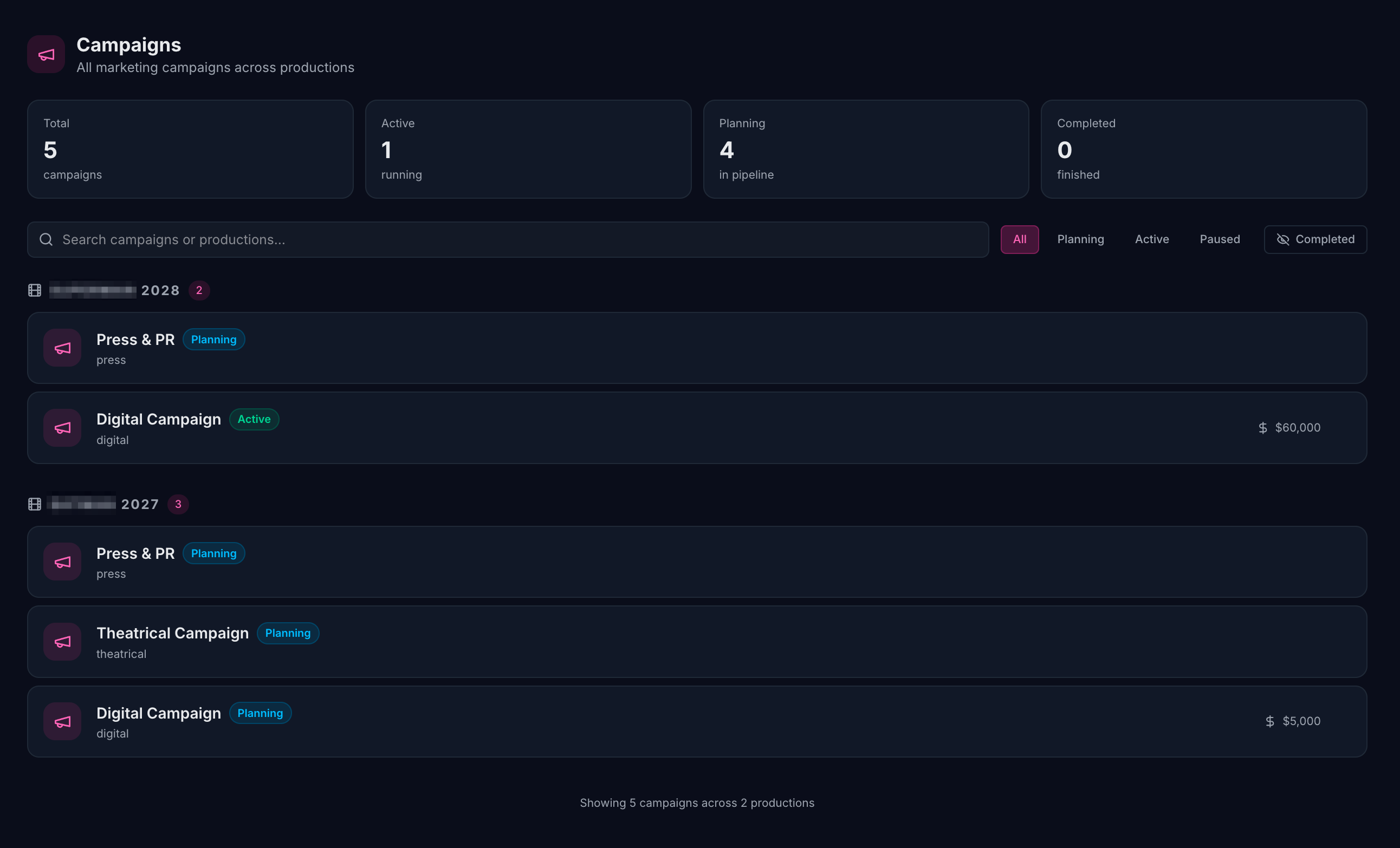
Every campaign across every production, visible in a single list. See what's active, what's scheduled, and what needs attention — without opening a single email.
Theatrical, digital, social, press, festival, awards — create any campaign type and link it directly to the production it belongs to.
Campaign status, stage progress, and asset counts visible without opening anything. Know instantly what's on track and what needs your attention.
Filter across productions, campaign types, and statuses. Find exactly what you need, even when you're managing ten releases at once.
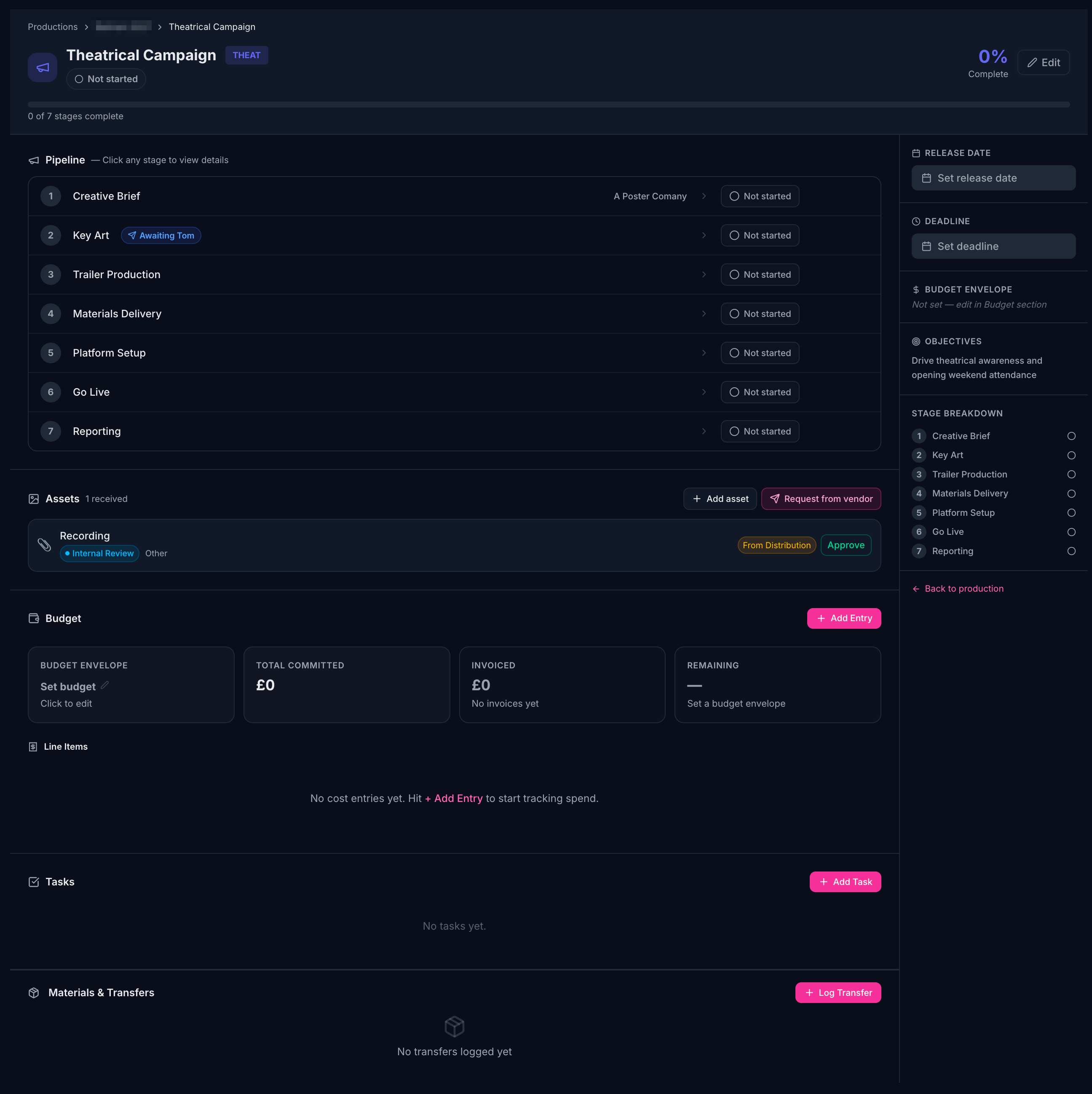
Click into any campaign to see the full picture: pipeline stages, budget breakdown, asset library, team tasks, and vendor assignments — managed in a single view without switching between tools.
Budget tracking built in. Log and track spend against each campaign. See actuals vs. planned at a glance — no separate spreadsheet needed.
Assets tied to the campaign. Every image, video, and document linked directly to the campaign it belongs to — with a clear approval status on each.
Stage-by-stage progress. Each pipeline stage has its own status, vendor, and tasks. Nothing falls through the cracks between handoffs.
The campaign pipeline view spans every active production — showing stage-by-stage progress for every campaign running simultaneously. Nothing is buried, nothing is guessed.
Progress visible without asking. Stage completion is tracked in real time. Your team always knows what's been done and what's next — no status meetings required.
Delays surface automatically. Overdue stages flag immediately. Spot which campaigns are at risk before a deadline is missed.
Across every production at once. Whether you're running one release or twenty, the pipeline view gives you a single, consistent picture of your whole slate.
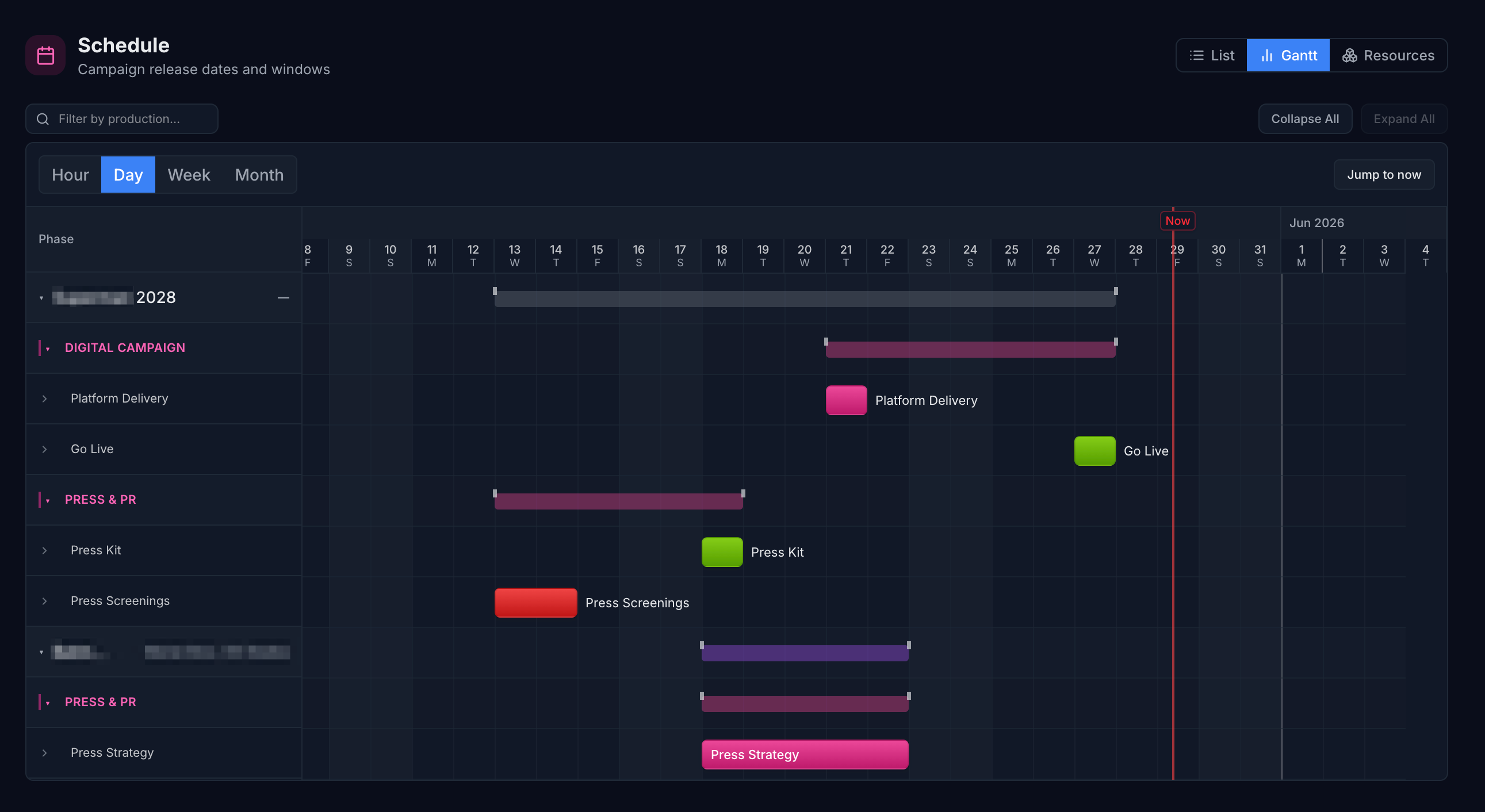
All campaign phases and milestones laid out on a single timeline. Switch between hour, day, week, and month views — and see exactly where your team's attention needs to be.
All campaigns, all productions, one timeline. See how phases overlap and where your team's workload is concentrated.
Zoom in to day-level detail for tight deadlines, or zoom out to month view for release planning and stakeholder presentations.
One click takes you to today's schedule. Always know what's due, what's starting, and what needs to be signed off before end of day.
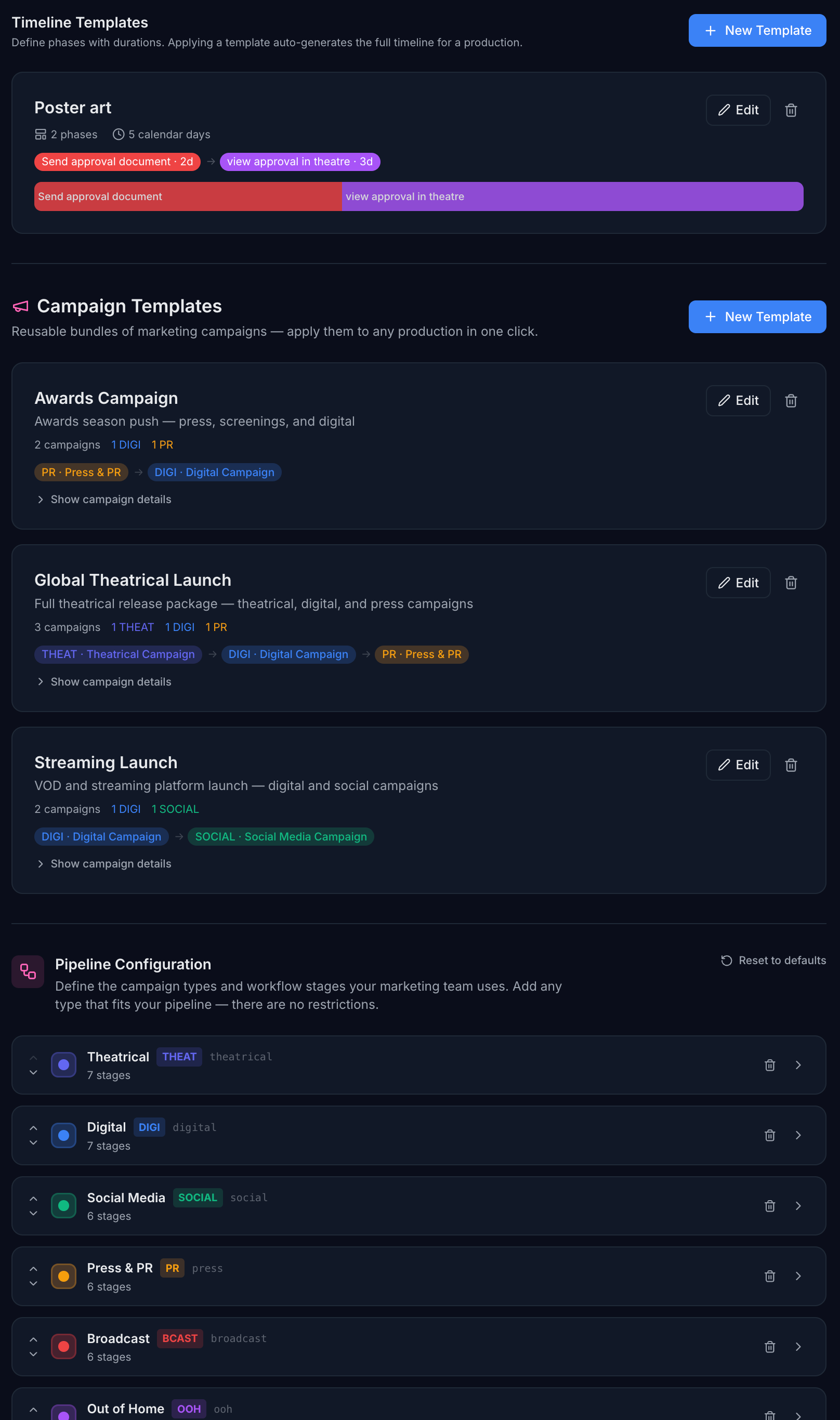
Stop rebuilding the same campaign structure every release. Create templates for your campaign pipelines, timelines, and version bundles — then apply them to any new production in seconds.
Campaign pipeline templates. Define the exact stages your theatrical, digital, or awards campaigns follow — and apply them instantly to any new campaign.
Timeline templates. Save your standard campaign timeline phases (pre-launch, launch week, post-release) as reusable templates. Apply them and adjust dates — the structure is already done.
Fully customisable per organisation. Every template lives at your organisation level. Different studios using Routine have completely separate templates — nothing bleeds across accounts.
Default tasks included. Attach standard tasks to any pipeline stage so your team's checklist is automatically created every time a template is applied.
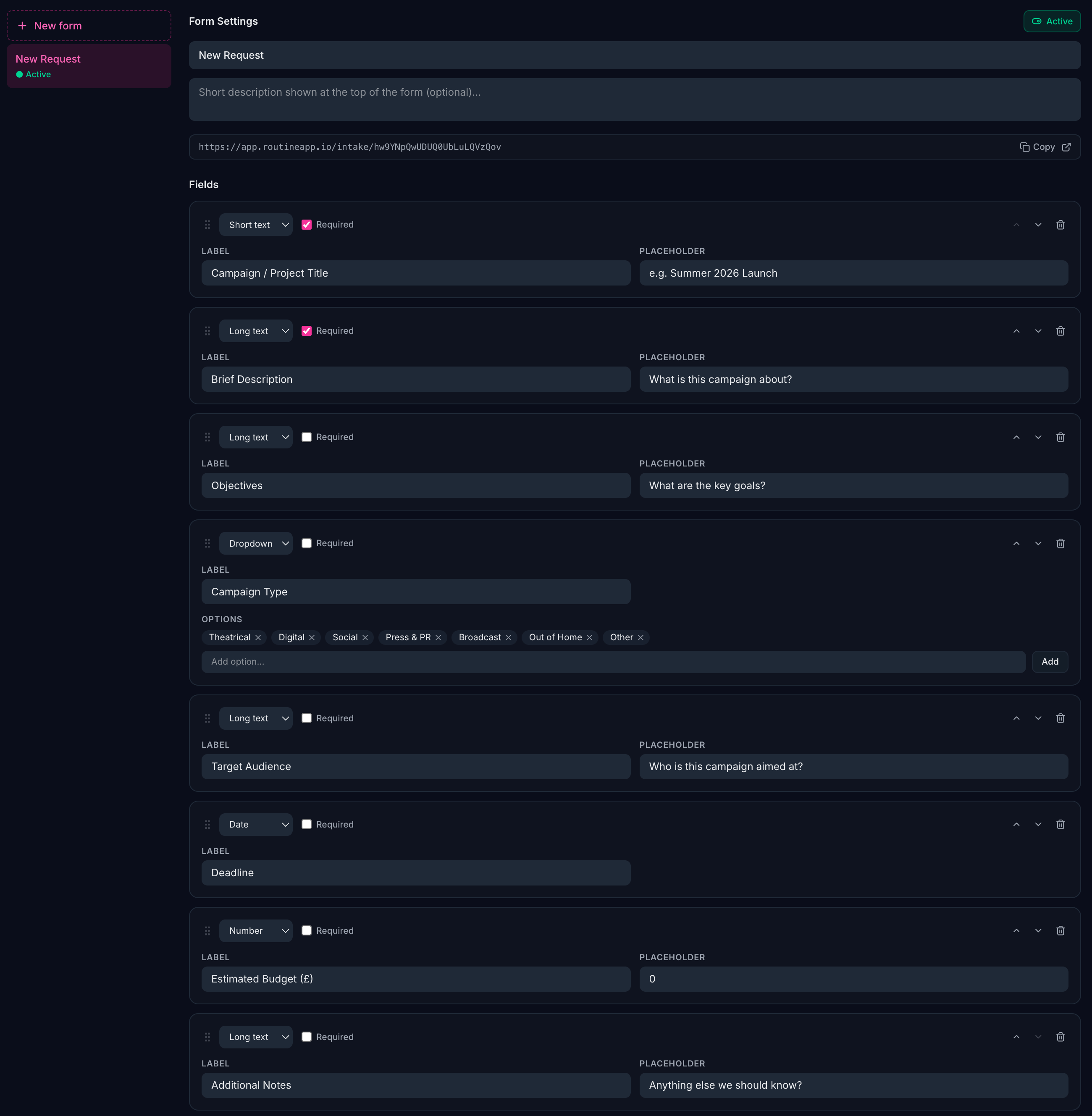
Build custom intake forms to capture campaign briefs, creative requirements, and approvals directly from clients, agencies, and internal teams — no account required for respondents.
Completely customisable fields. Add any field type you need — text, dropdowns, file uploads, dates. Build forms that match exactly what your campaigns require.
Share a link, not a login. Generate a secure form link and send it to anyone — clients, agencies, or internal teams. They fill it in without needing a Routine account.
Responses land straight in Routine. Submissions appear in your platform the moment they're sent — no inbox triage, no copy-pasting into spreadsheets.
Per-organisation, fully customisable. Every form is owned by your organisation. Build a library of brief templates your team reuses across every production.
Create an upload request, share a secure link, and the file lands directly in your campaign — no account required on the vendor's side.
Set the asset type, deadline, and instructions inside your campaign.
Copy the secure upload link and send it to your vendor however you like.
They upload directly via the link — no Routine account, no setup.
Asset appears in your campaign as "awaiting review" — approve or reject with one click.
Marketing campaigns run on assets — posters, trailers, social cuts, key art, press kits, copy decks. Managing them across agencies, platforms, and approval rounds means a lot of back-and-forth. The Marketing module gives you a dedicated asset library where every piece of creative is tracked, approved, and ready to use.
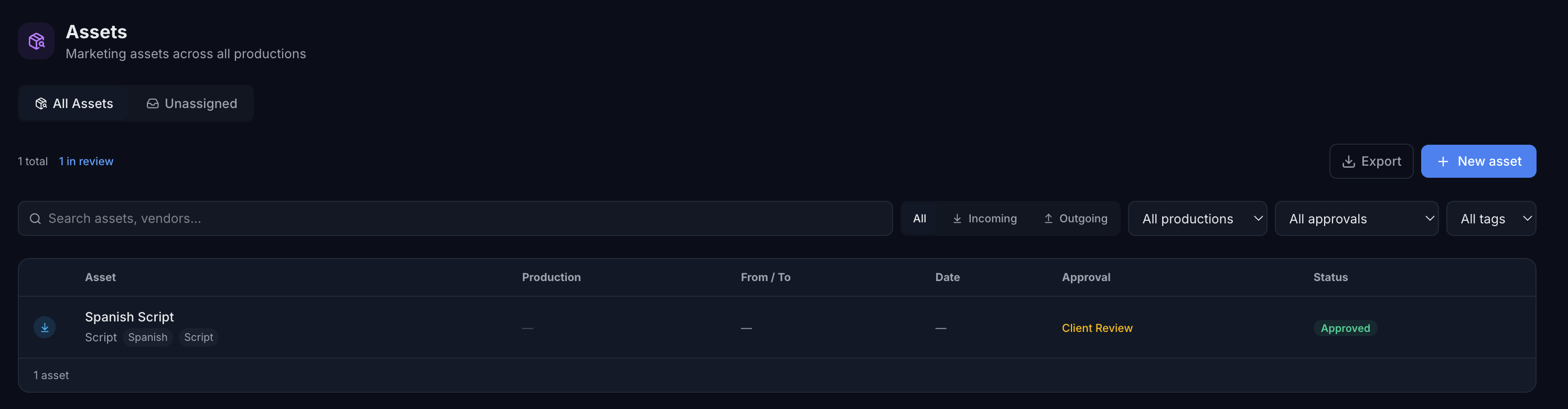
All your marketing assets, one view. Every asset across every campaign and production in a single filterable table. Search by asset type, approval status, production, tag, or direction — find what you need in seconds.
Approval workflow from brief to sign-off. Move assets through internal review, agency review, and client approval without leaving the platform. Every approval step is logged with who did what and when.
Unassigned asset inbox. When distribution delivers a completed asset — a final trailer, approved key art — it lands in your Unassigned inbox ready to be linked to the right campaign. No manual hand-off needed.
Tag everything. Find it instantly. Tag assets by territory, platform, language, or campaign phase. Your entire marketing library stays organised and searchable as your slate grows.
Export to CSV. Pull your full filtered asset list to a spreadsheet in one click — for agency briefings, client reviews, or campaign status reports.
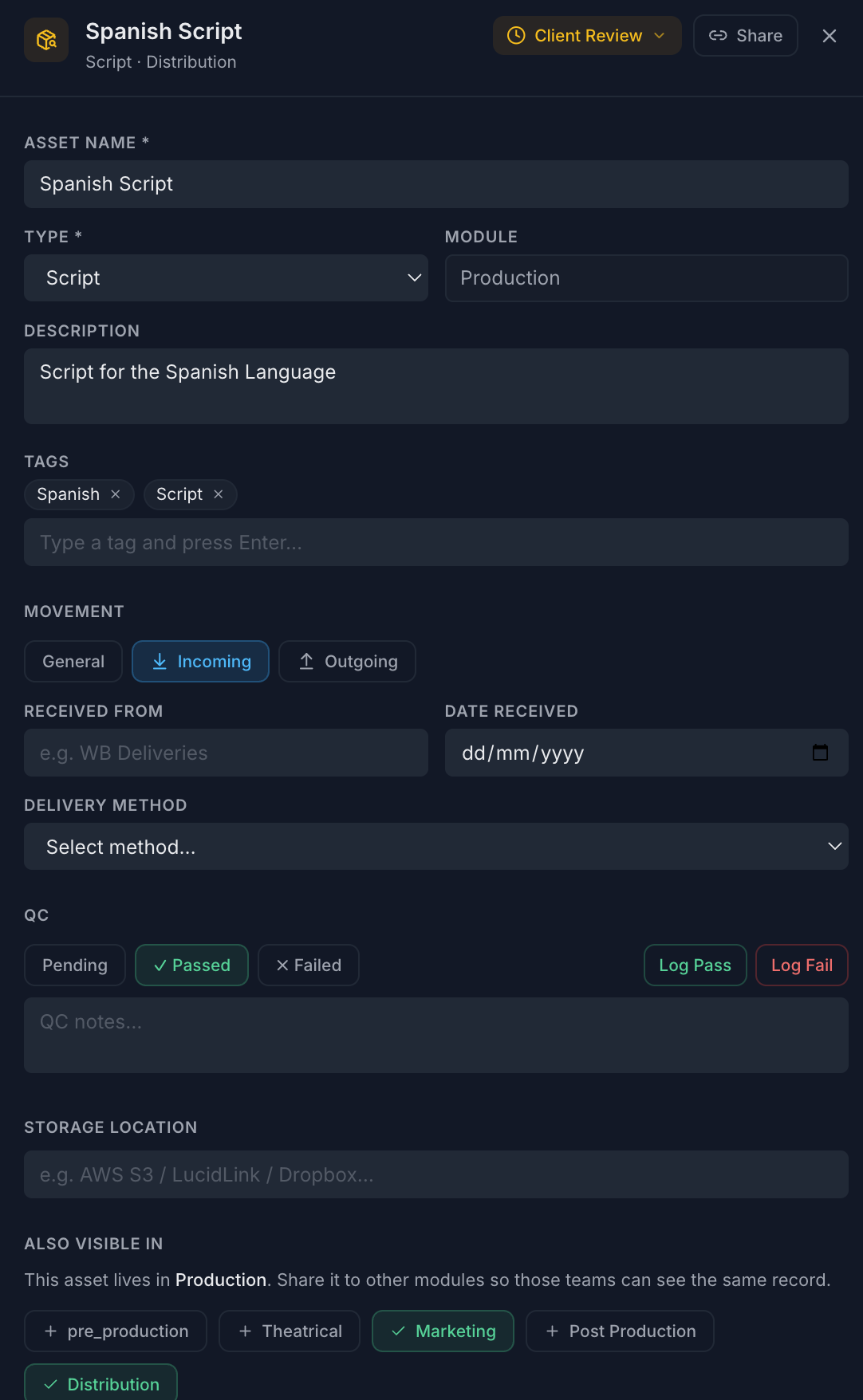
Click any asset to open the full detail panel — no new page, no lost context. Attach agency briefs, platform specs, and approval emails directly to the asset. Generate a secure share link to send to a client or platform partner for review — no account required on their end.
Attach platform delivery specs, agency briefs, approval emails, and any supporting document directly to the asset record.
Generate a secure public link for any asset and send it straight to a client or platform partner. They see the asset details without needing a Routine login.
Every approval step, QC event, and note is timestamped automatically. A complete record of how every asset moved from brief to delivery.
If your studio runs Marketing alongside Production or Distribution on Routine, assets from those modules can be shared directly into your Marketing view. A finished trailer from Distribution appears in your marketing asset library the moment it's shared — same record, same approval status, zero re-uploading. Studios on Marketing only won't see this option at all.
When Distribution publishes a completed asset, it flows straight into your Marketing unassigned inbox — ready to link to a campaign.
Status, approvals, and attachments are the same wherever the asset appears. One record, always current — nothing to manually update.
Shared assets appear alongside your marketing assets in your module view. Your team works from one consistent list — not multiple systems.
The sharing UI only appears for organisations with multiple modules. Marketing-only studios see a clean, focused interface with no extra complexity.
Tell us about your team and upcoming releases — we'll be in touch to get you started.