🌐 Distribution module

Every version.
Every deadline.

From dubbed features to KDM deliveries — Routine gives your distribution team a single pipeline to manage every localisation, every stage, and every deadline across your entire slate.

49+
Versions tracked per production
9
Pipeline stages per version
6
Version types supported
0
Missed deadlines
What's inside

Everything your distribution team needs.

Every version type. Every delivery stage. Every stakeholder — all connected in one pipeline.

🗂

Version management

Track every DUB, SUB, OV, HOH+AD, Dual Sub, and KDM version across your slate. Each version has its own pipeline, schedule, and task list.

🔄

Delivery pipelines

From Script Delivery to DCP Delivery — configure the exact stages your team uses, apply templates in one click, and track every stage to completion.

⚠️

Delay alerting

Delayed versions surface automatically at the top of your pipeline view. Know exactly what needs attention before it becomes a problem.

🏢

Vendor integration

Assign dubbing studios, subtitling houses, and delivery partners directly to each stage. Vendors see their work in their own jobs view — no manual updates needed.

📅

Schedule & resources

Book recording studios, screening rooms, and equipment against your pipeline stages. Spot conflicts before they happen with the resource timeline.

📋

Reusable templates

Build version bundles and pipeline templates once, apply them to any production instantly. Fully customisable to match exactly how your team delivers.

Version types: DUB SUB DUAL SUB OV HOH+AD KDM
Version detail

Every stage of every version, fully managed.

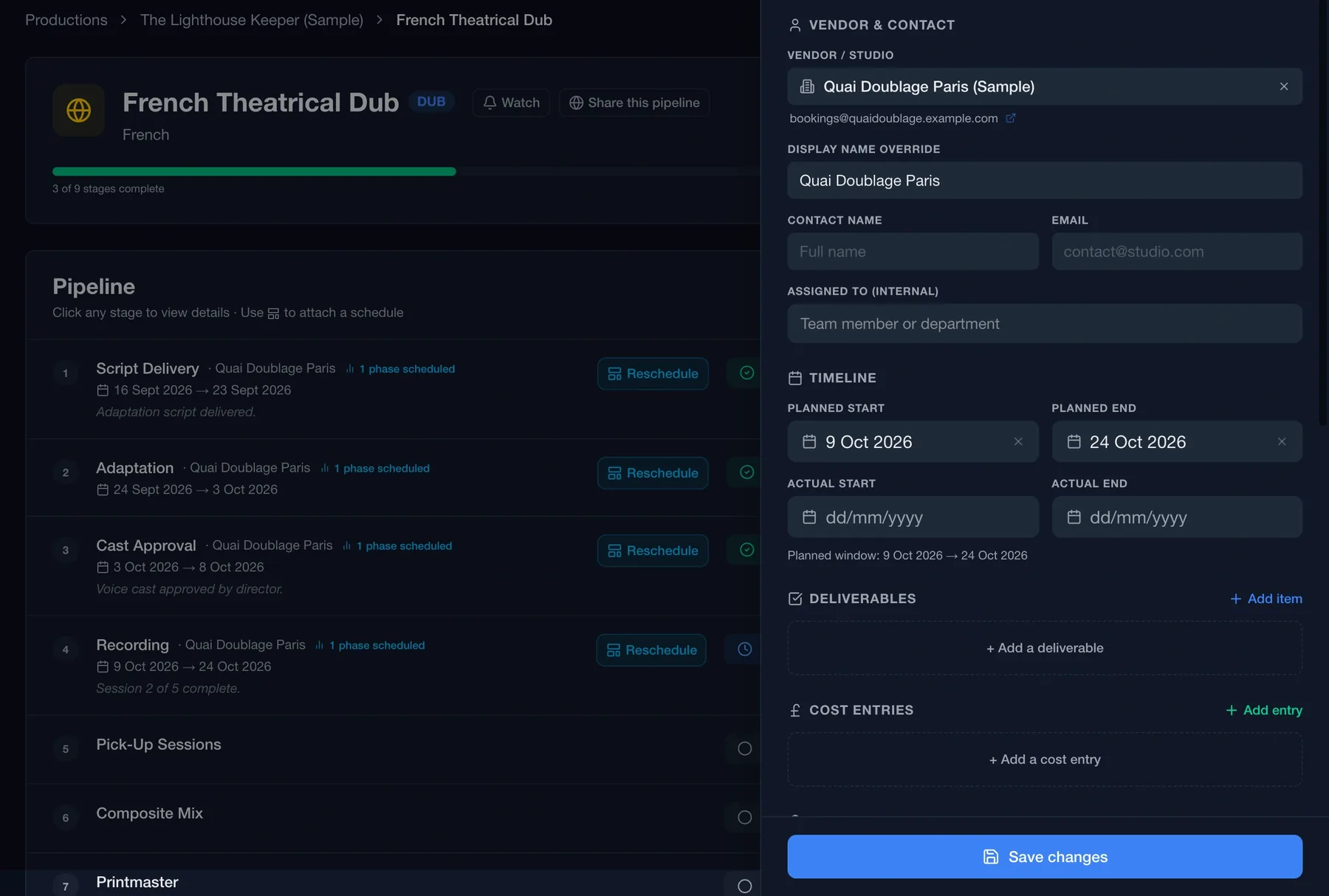
Click into any version to see its complete pipeline — each delivery stage, its current status, the vendor assigned, and the schedule attached. Everything in one place, nothing in your inbox.

Track stage by stage. From Cast Approval through to DCP Delivery — each stage is independently tracked with its own status, dates, and vendor.

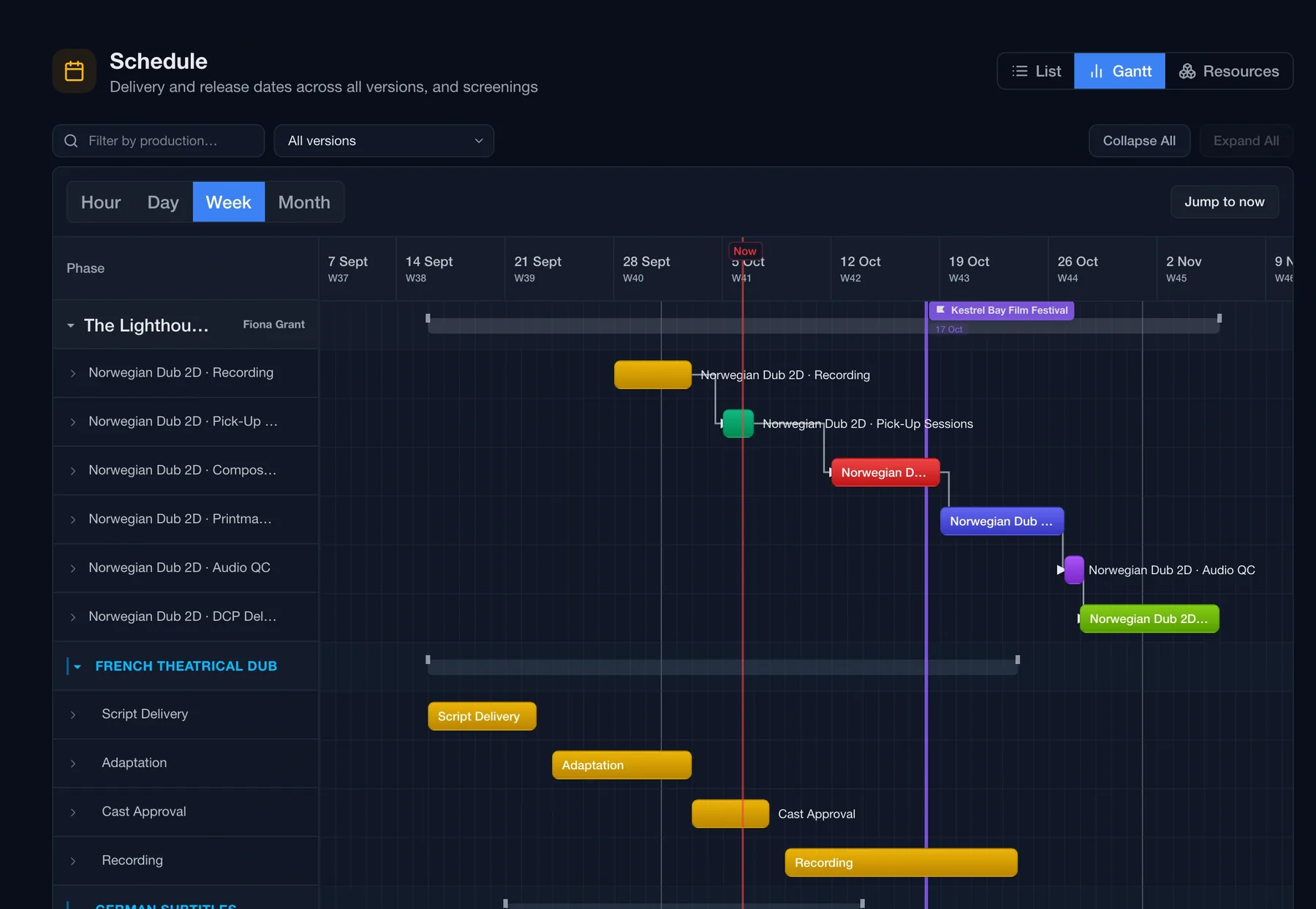
Schedule attached directly. Phase schedules are embedded inside each version — see recording dates, mix sessions, and printmaster windows without leaving the page.

Formats and territories in one view. 2D, 2D Atmos, 3D, 3D Atmos format flags and all territory release dates sit alongside the pipeline — no cross-referencing needed.
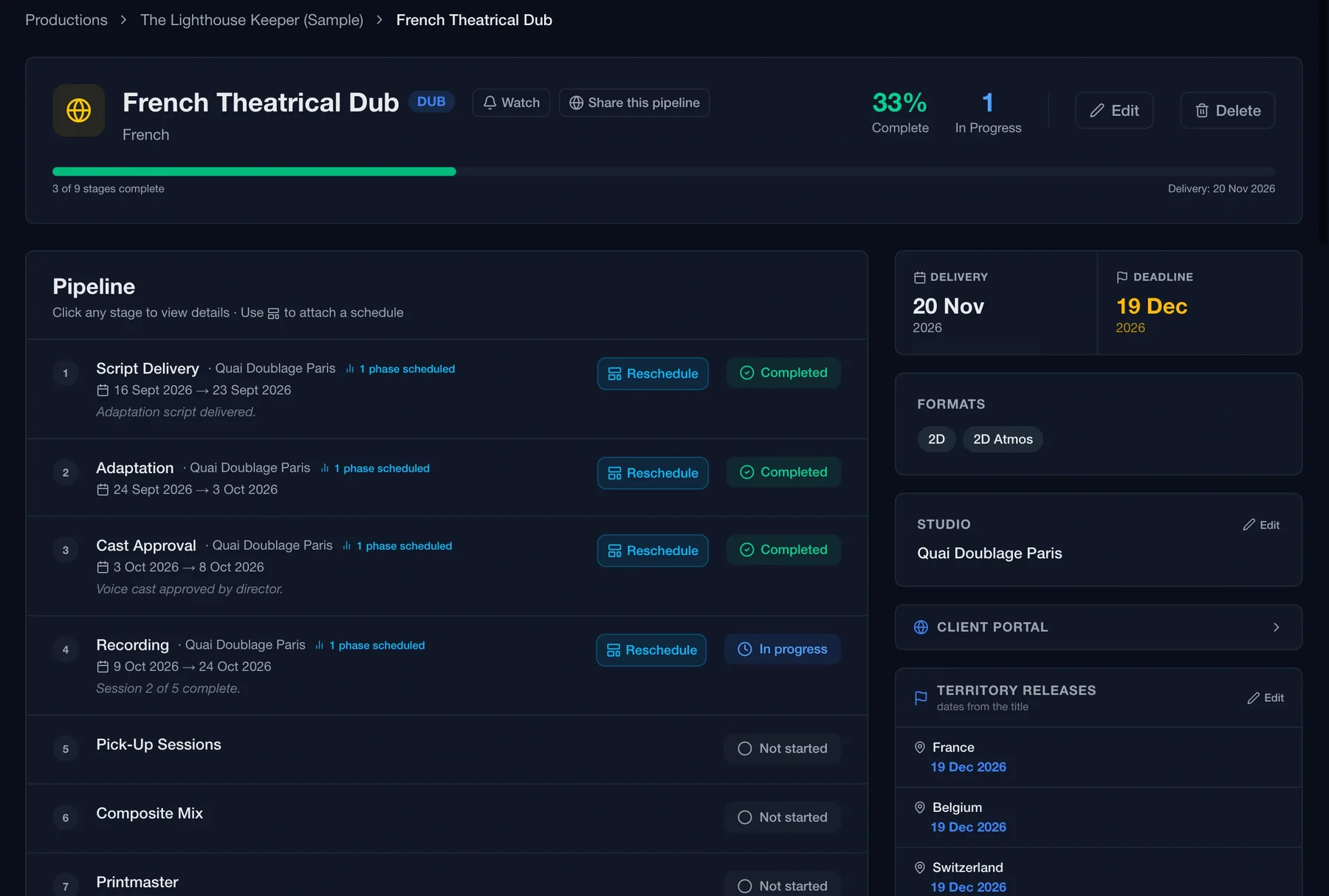
Distribution · German Dub · Version detail
Routine distribution version detail showing the German Dub pipeline stages, schedule, and tasks
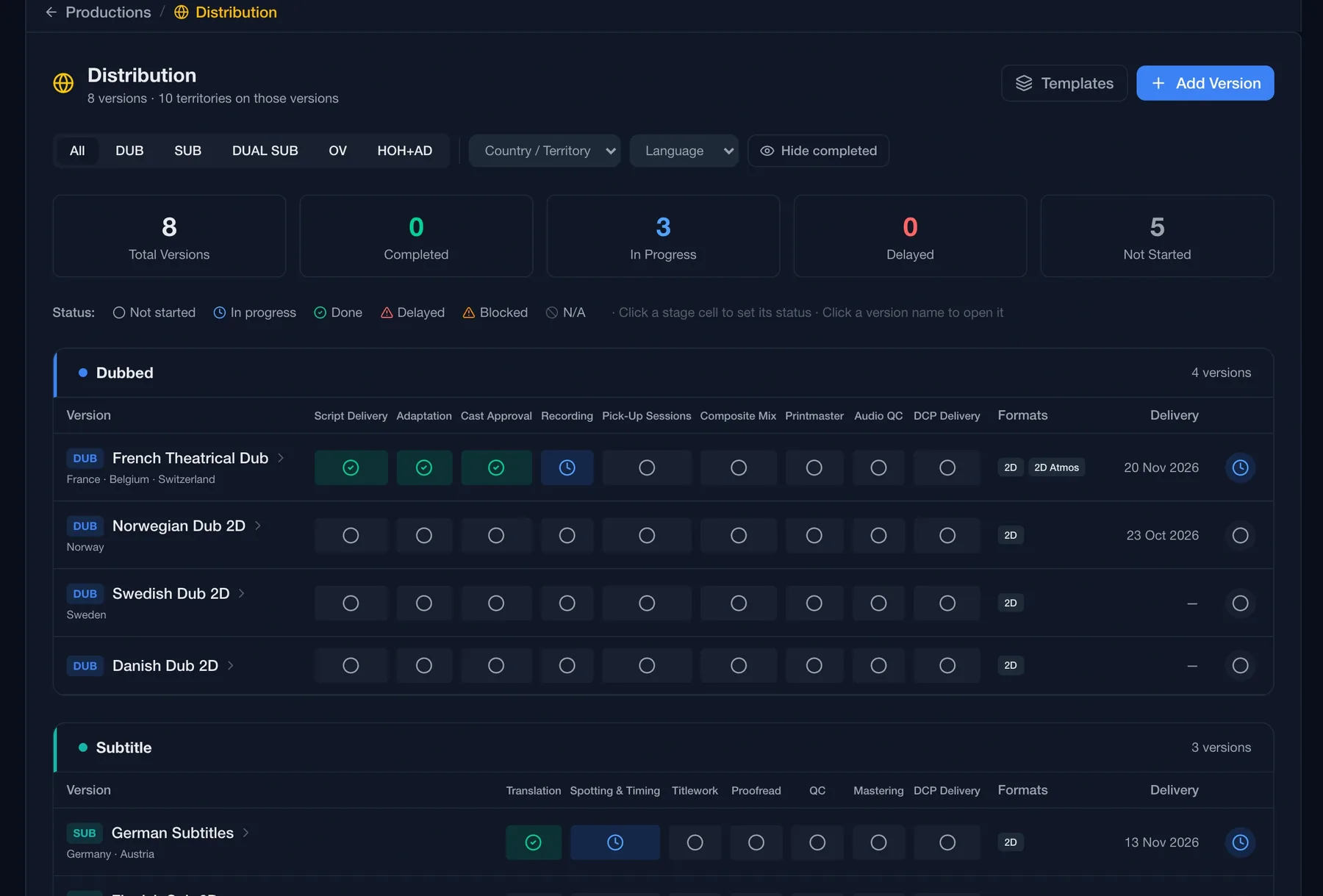
Distribution · All versions · Stage matrix
Routine distribution version matrix showing all versions with stage status dots
Version matrix

Every stage. Every version. One grid.

The version matrix gives you a complete picture of your entire localisation operation — every version across every delivery stage, visible in a single scrollable grid.

Click any cell to update status. Cycle through Not Started, In Progress, Done, Delayed, and Blocked without opening a detail view — perfect for rapid end-of-day updates.

Filter by version type. Instantly isolate your DUBs, SUBs, OV, HOH+AD, or KDMs to focus on what matters right now.

Delivery dates at a glance. Each version shows its delivery deadline alongside its completion percentage — making priorities obvious at a glance.

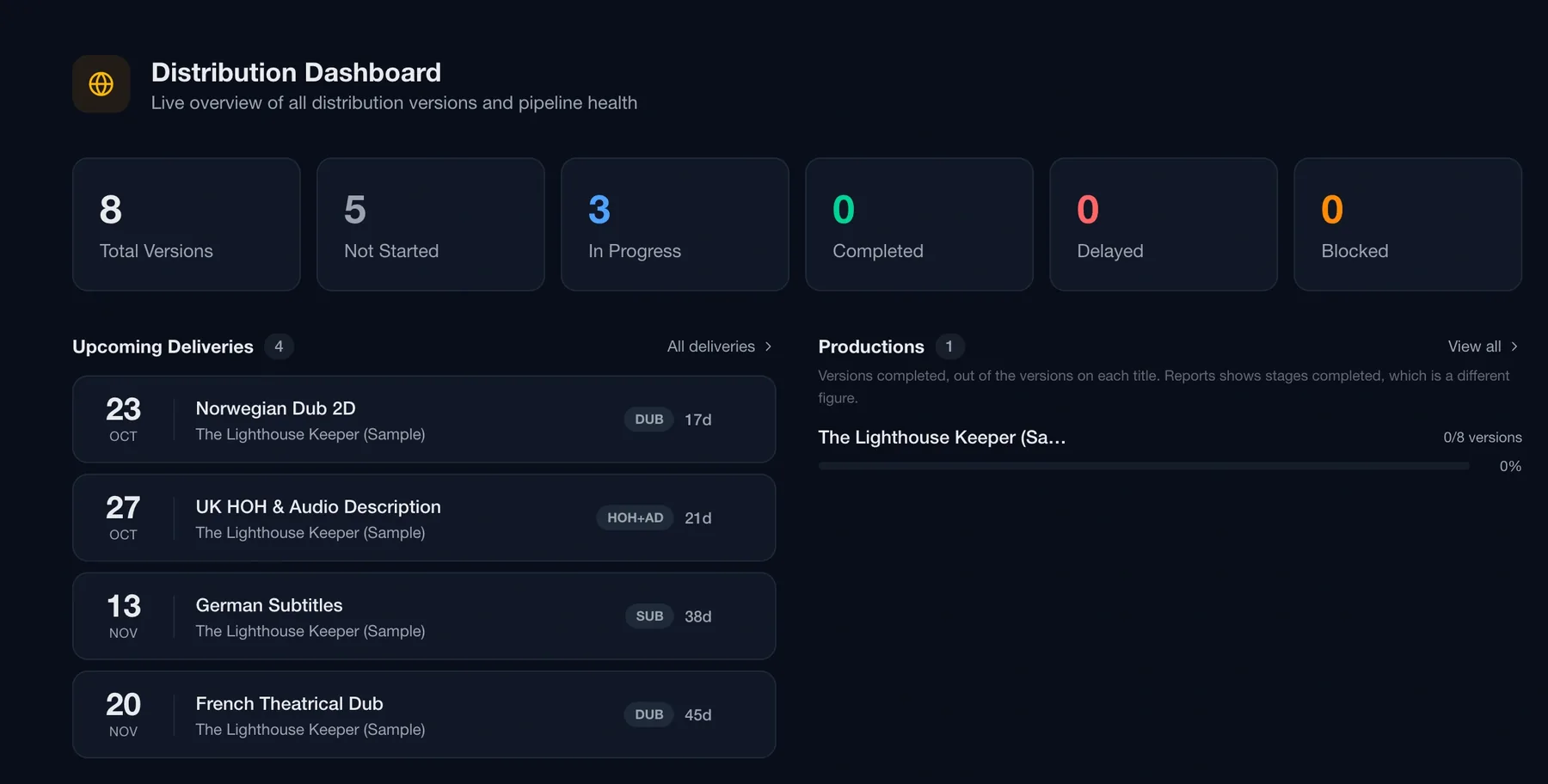
Pipeline overview

Your whole slate. Nothing hidden.

The Distribution Pipeline view spans every production — showing all active, in-progress, delayed, and blocked versions in one place. Delays surface automatically so nothing slips through the cracks.

Distribution · Pipeline · All productions
Routine distribution pipeline overview showing all versions across productions with status and delay alerts

Delays surface automatically

A "Needs Attention" panel flags any delayed version the moment it's overdue — no manual triage required.

🔎

Search across everything

Search by version name, language, or production. Filter to Active, In Progress, Completed, or Blocked at any time.

📊

Progress at a glance

Progress dots for each stage show how far through the pipeline every version is — without opening a single detail view.

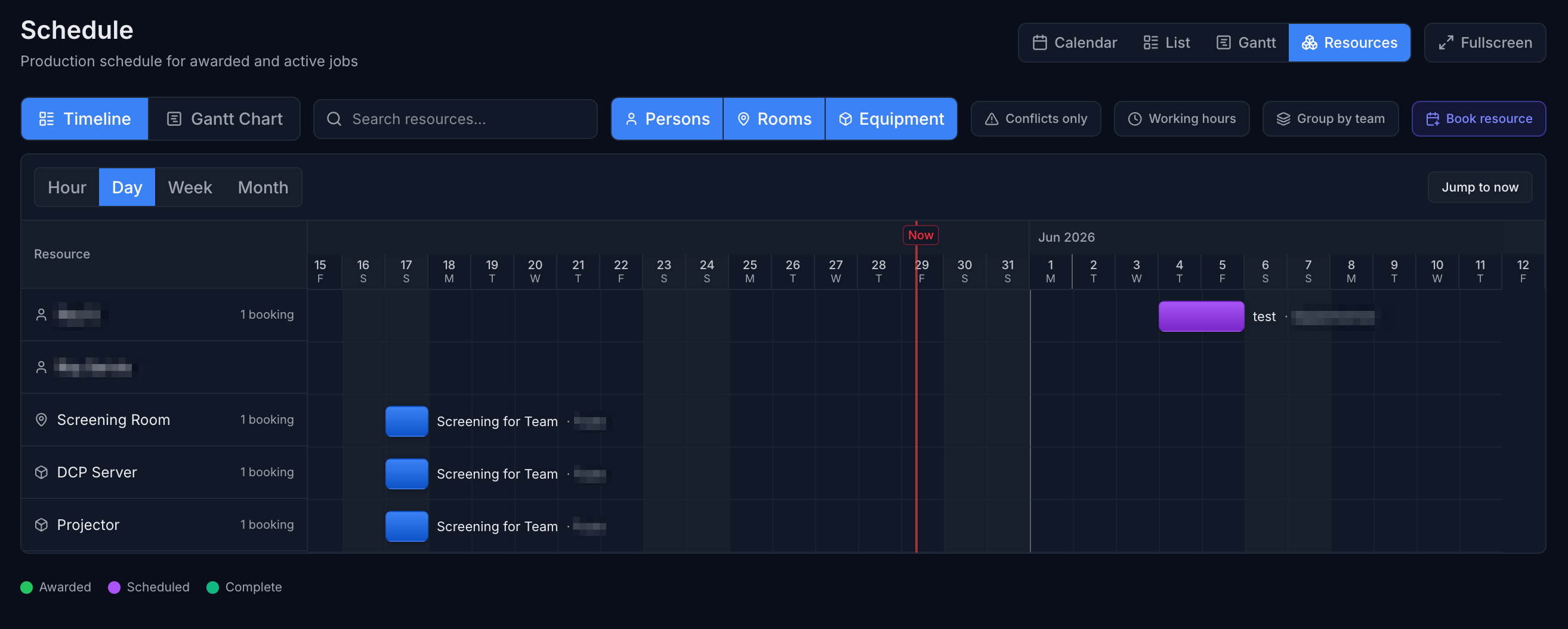
Resource scheduling

Book the right resources at the right time.

Assign people, rooms, and equipment directly to your pipeline stages. The resource timeline keeps everything visible so clashes are caught before they cause problems.

Schedule · Resources · Day view
Routine resource scheduling timeline showing persons, rooms, and equipment bookings
👤

Persons, rooms & equipment

Separate swimlanes for every resource type — see who's booked where and what equipment is tied up across your productions.

⚠️

Conflict detection built in

Toggle "Conflicts only" to instantly surface any double-bookings across people, studios, and facilities.

📅

Hour, day, week, or month

Switch between granular and high-level views. Jump to today instantly or zoom out to plan across months.

Templates

Your workflow. Not ours.

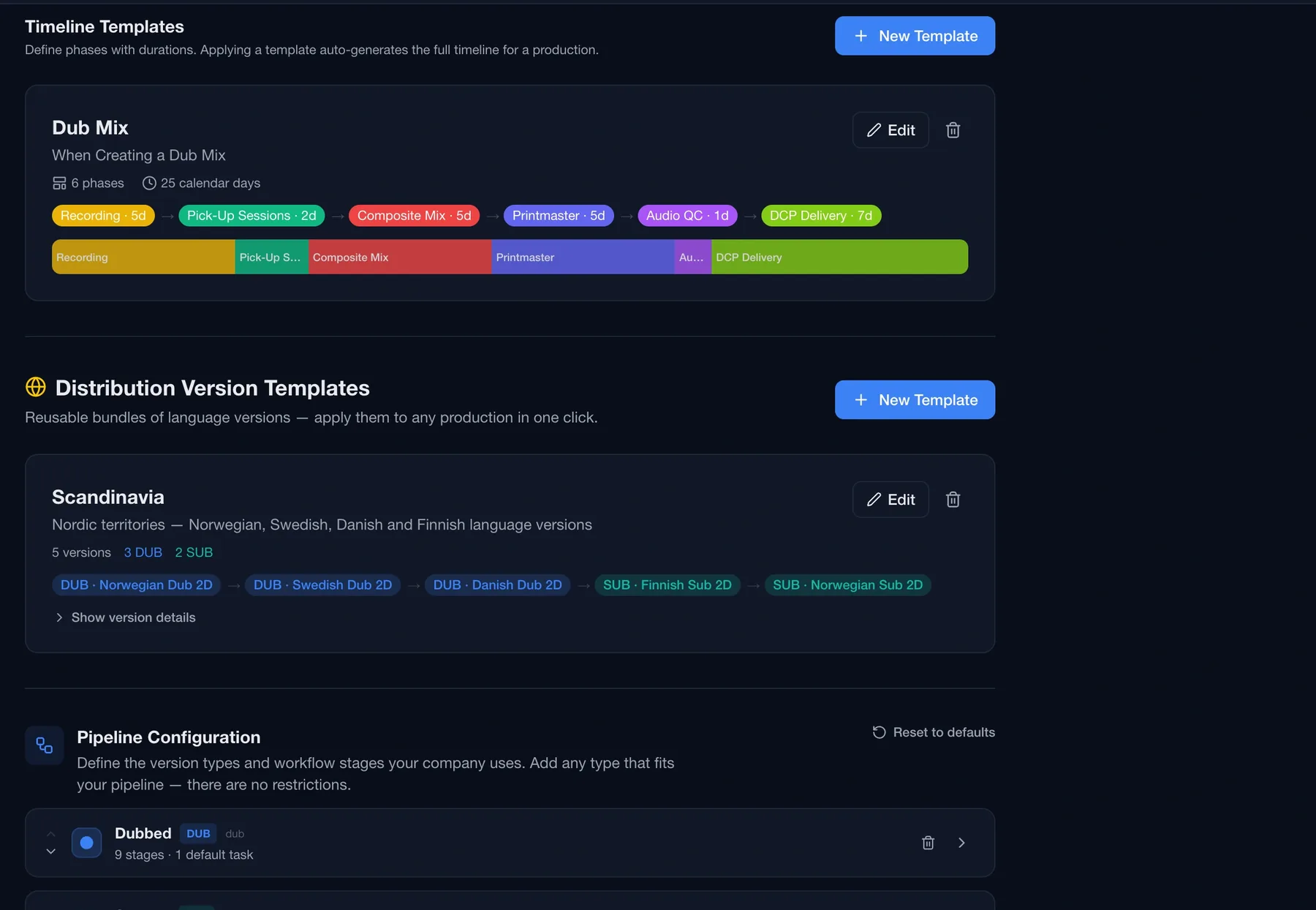
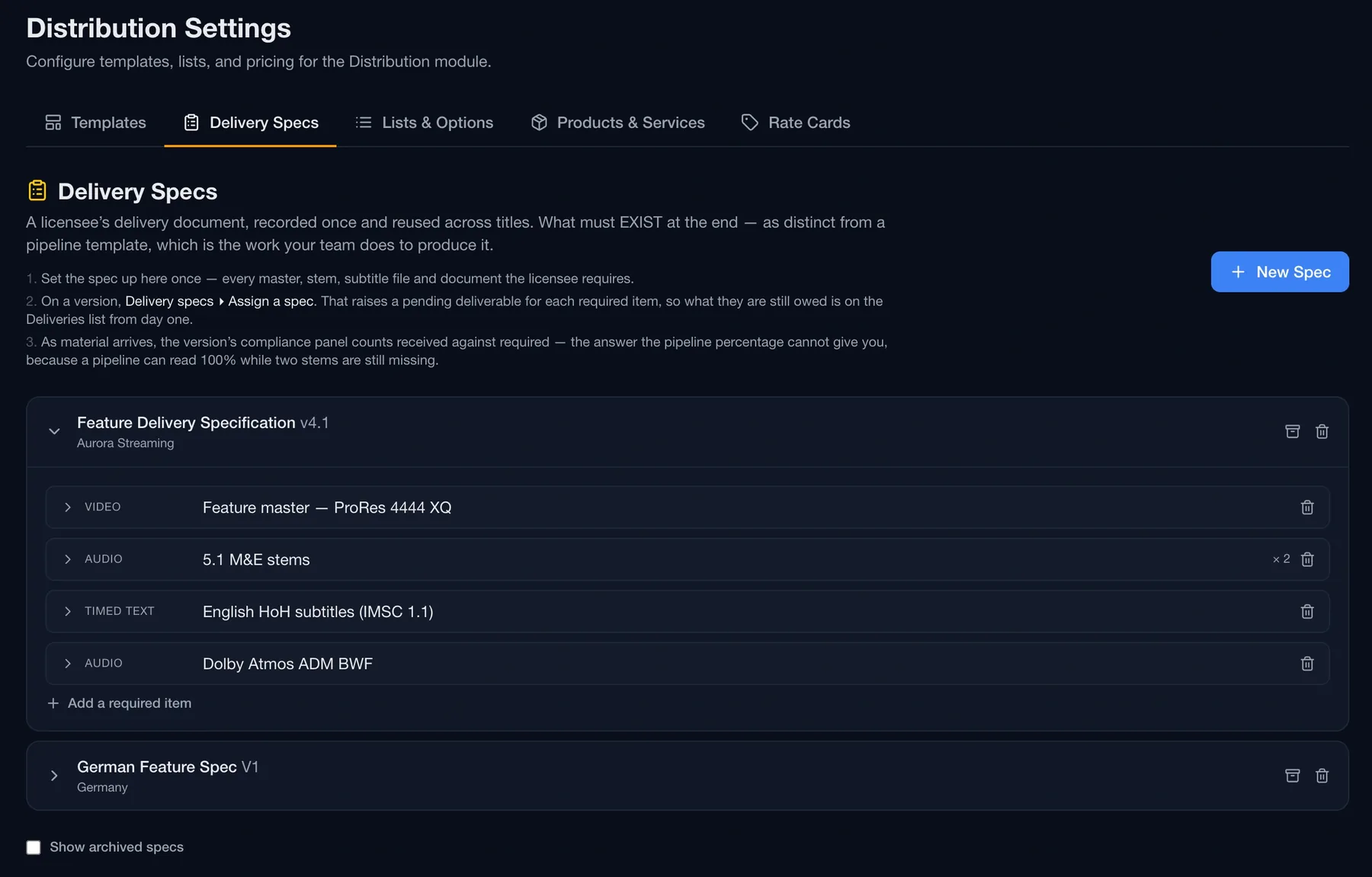
No two distribution operations work the same way. That's why every pipeline stage, every version type, and every template in Routine is fully customisable to match exactly how your team delivers.

Version bundle templates. Create reusable version sets — like a "Scandinavia Pack" with Norwegian, Swedish, Danish, and Finnish — and apply them to any new production in one click.

Customise every pipeline stage. Add, rename, reorder, or remove stages for each version type. Dubbed features need different stages to subtitle files — set each up exactly as you need.

Default tasks per stage. Attach standard tasks to any pipeline stage so the right checklist is automatically created every time a template is applied.

Per-organisation configuration. Every setting lives at the organisation level — different companies using Routine keep completely separate templates and workflows.

Distribution · Settings · Templates & Pipeline Config
Routine distribution version templates and pipeline configuration settings
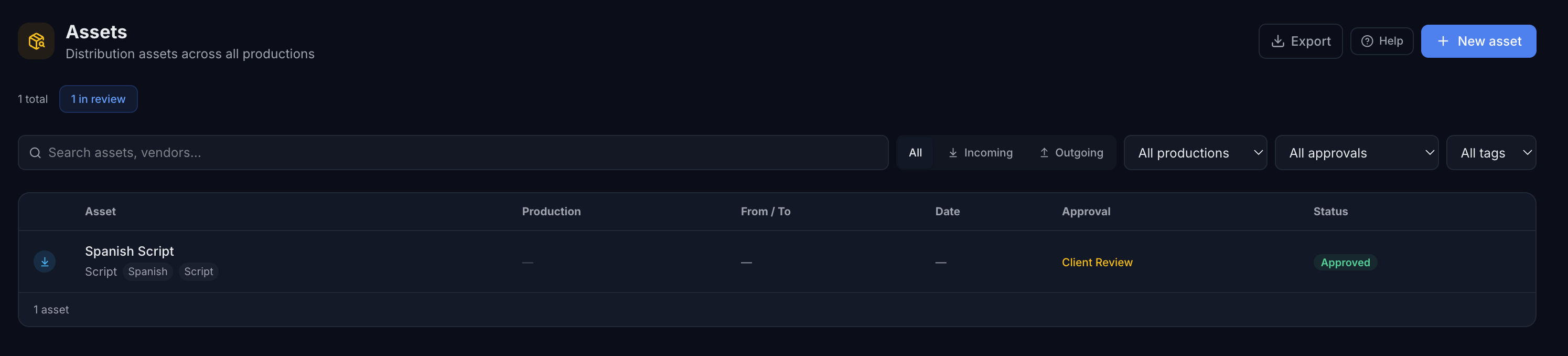
Distribution · Assets
Routine distribution asset management showing DCP, subtitle, audio mix, and poster assets across productions with QC and delivery status
Asset management

DCPs, subtitles, audio mixes. All accounted for.

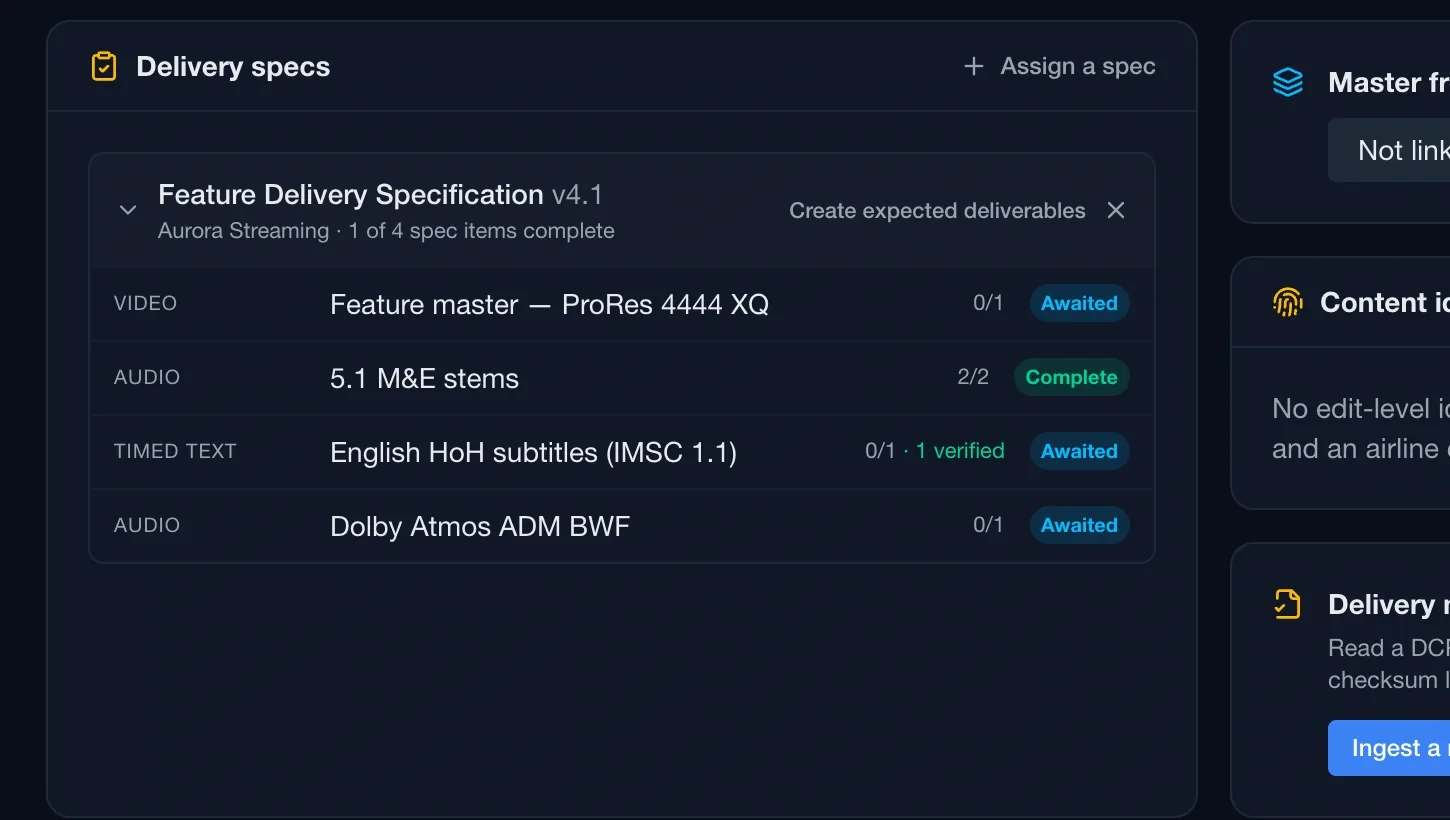
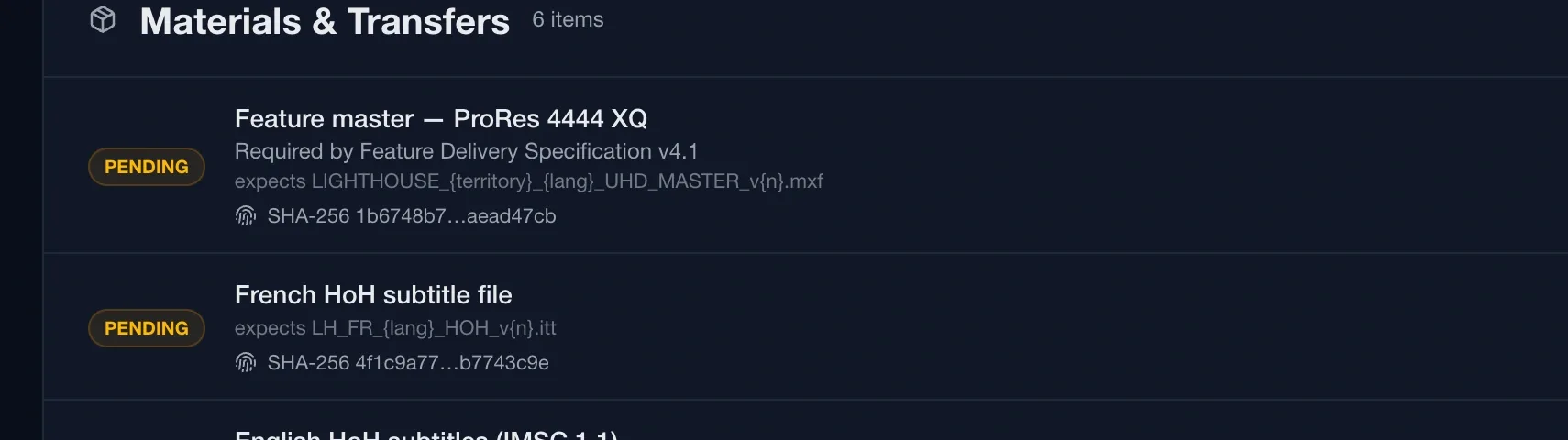
Distribution means managing a constant flow of deliverables — DCPs, IMF packages, subtitle files, audio mixes, trailers, key art — moving between labs, localisation houses, broadcasters, and territory offices. The Distribution module gives you a single place to track every asset, in both directions, across every production on your slate.

Track every deliverable across your slate. All distribution assets across all productions in one table. Filter by production, direction, delivery method, approval status, or tag — find anything in seconds.

Incoming and outgoing, both covered. Log assets arriving from post houses and those being sent to broadcasters or territory offices. Direction, source or destination, delivery method, and date are all captured per record.

QC tracking with a complete log. Record QC pass or fail against any asset with notes and a timestamp. Every QC event is logged automatically — a full audit trail without the spreadsheet.

Approval pipeline built in. Move assets from internal review through to client approval without leaving the platform. No separate email thread. No chasing.

Export the full list. One click exports your current filtered asset view to CSV — ready for a QC handoff, territory report, or client delivery summary.

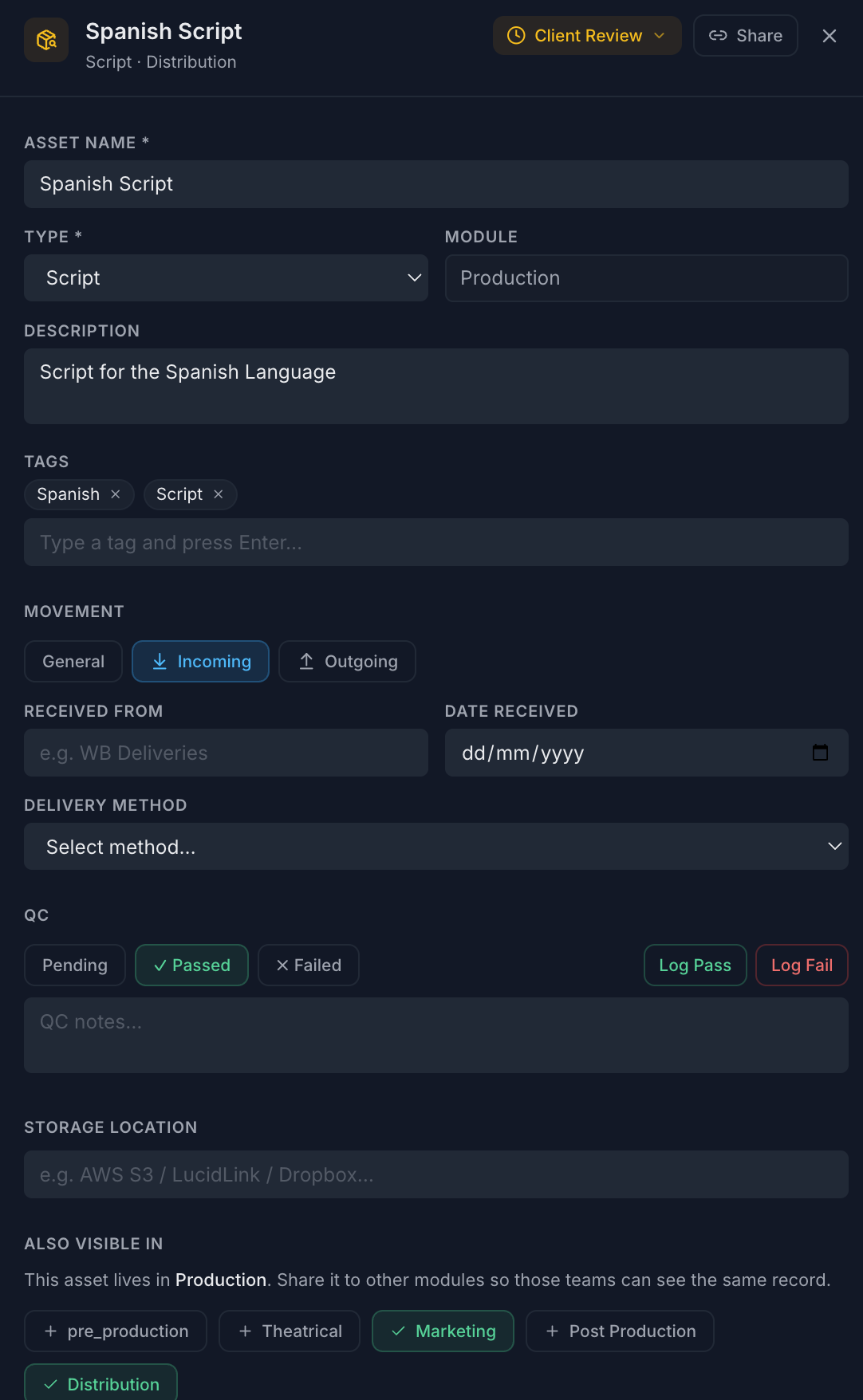
Asset detail

The complete record. Attachments, approvals, and history.

Every asset opens into a full detail drawer. Attach delivery receipts, QC reports, and compliance documents directly to the asset. See the full approval workflow and a timestamped activity log of every change — so when a territory office asks what happened with a file, you have the answer immediately.

📎

Attached documents

QC reports, delivery receipts, cue sheets, agreements — attach any file directly to the asset record and access it instantly from anywhere.

🔗

Secure share links

Generate a secure public link for any asset — send it to a territory office or broadcaster for review without requiring a Routine account.

🏷

Tags & search

Tag assets by territory, language, format, or anything relevant. Filter your entire distribution slate by tag in one click.

Distribution · Asset detail
Routine asset detail drawer showing delivery method, approval status, QC log, file attachments, tags, and activity history
Multi-module studios

Distribution asset ready for the marketing team?
Share it across — without duplicating the record.

Studios running both Distribution and Marketing on Routine can share any asset directly from the distribution asset drawer into the Marketing team's view. A completed DCP or approved trailer appears in both modules instantly — same record, same status, no duplication. Single-module studios won't see this option at all.

Push to Marketing instantly

Toggle a module share in the asset drawer. The marketing team sees it in their assets page straight away — no export, no re-upload.

One record, always in sync

Approval status, QC notes, and attachments are the same in both modules. There's nothing to keep in sync — it's one record, two views.

Revoke access any time

Untoggle the share at any time and the asset disappears from the other module immediately. You control what each team sees.

Only for multi-module orgs

The sharing UI only appears if your organisation has multiple modules licensed. No clutter for distribution-only studios.

Early access

Take control of your distribution pipeline.

Tell us about your slate and we'll reach out to get you set up.

No spam. No commitments.