Booking a film into cinemas is hundreds of small promises: a date, a drive, a key, a return, an invoice. Routine's Theatrical module keeps every one of them on one board — from the first target cinema to the settled rental — so nothing goes dark on opening night and nothing is left unbilled after it.
From the first booking to the final settlement — bookings, fulfilment, box office and money share one record of the release.
Every theatrical release has its own control centre: plan and targets, bookings, fulfilment, box office and settlement on one page, with release dates shared with Marketing and Distribution.
A proper cinema directory with contacts per function — booking, delivery, KDM — grouped by circuit, so a chain booking is one conversation, not fifty.
Can every screen play the film? Readiness per screen is derived from the DCP and KDM orders behind it, and a failed key arrives with its reason attached.
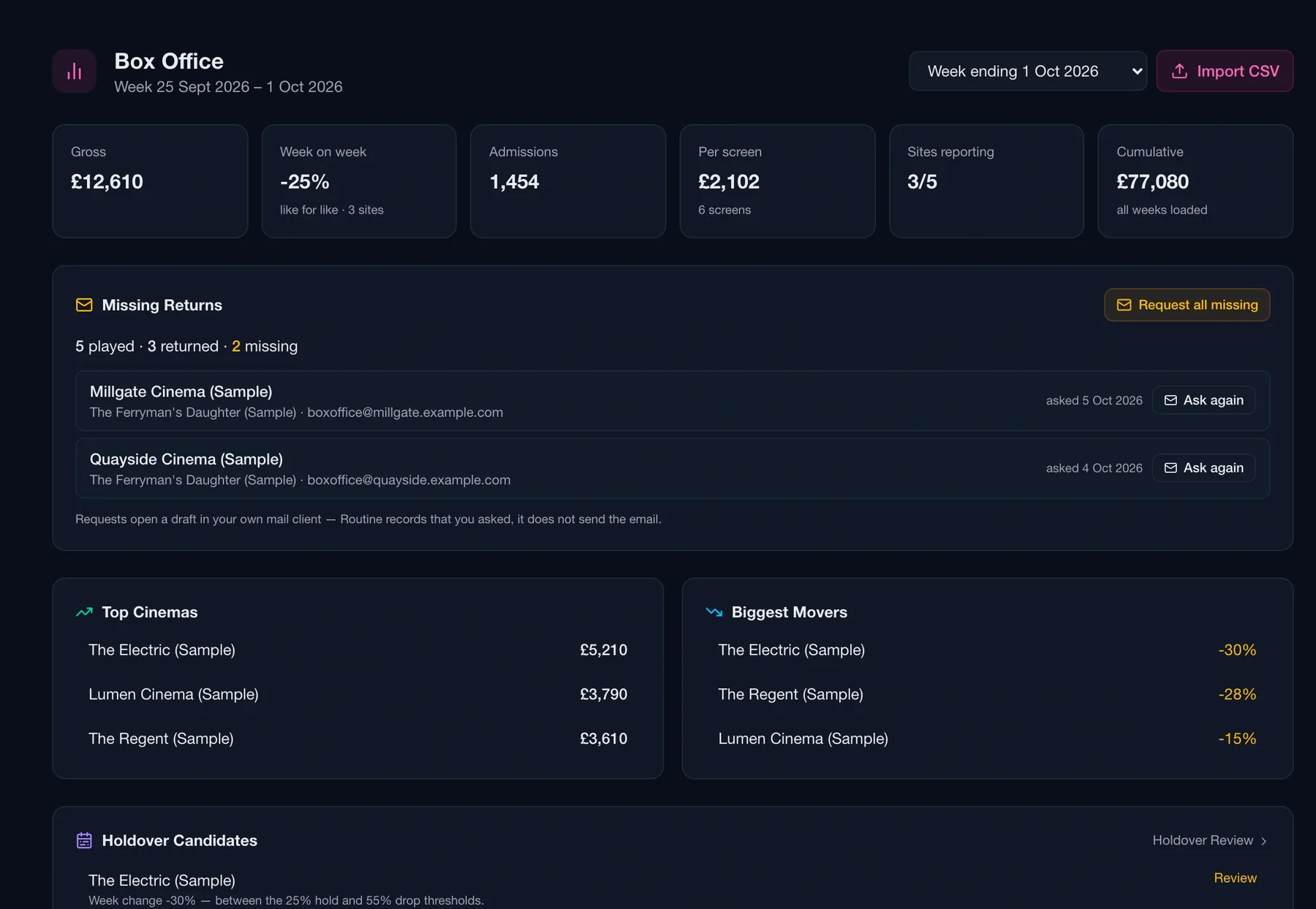
Weekly returns per booking, missing ones chased, and each week compared like for like, site by site — with risers and fallers and holdover candidates surfaced.
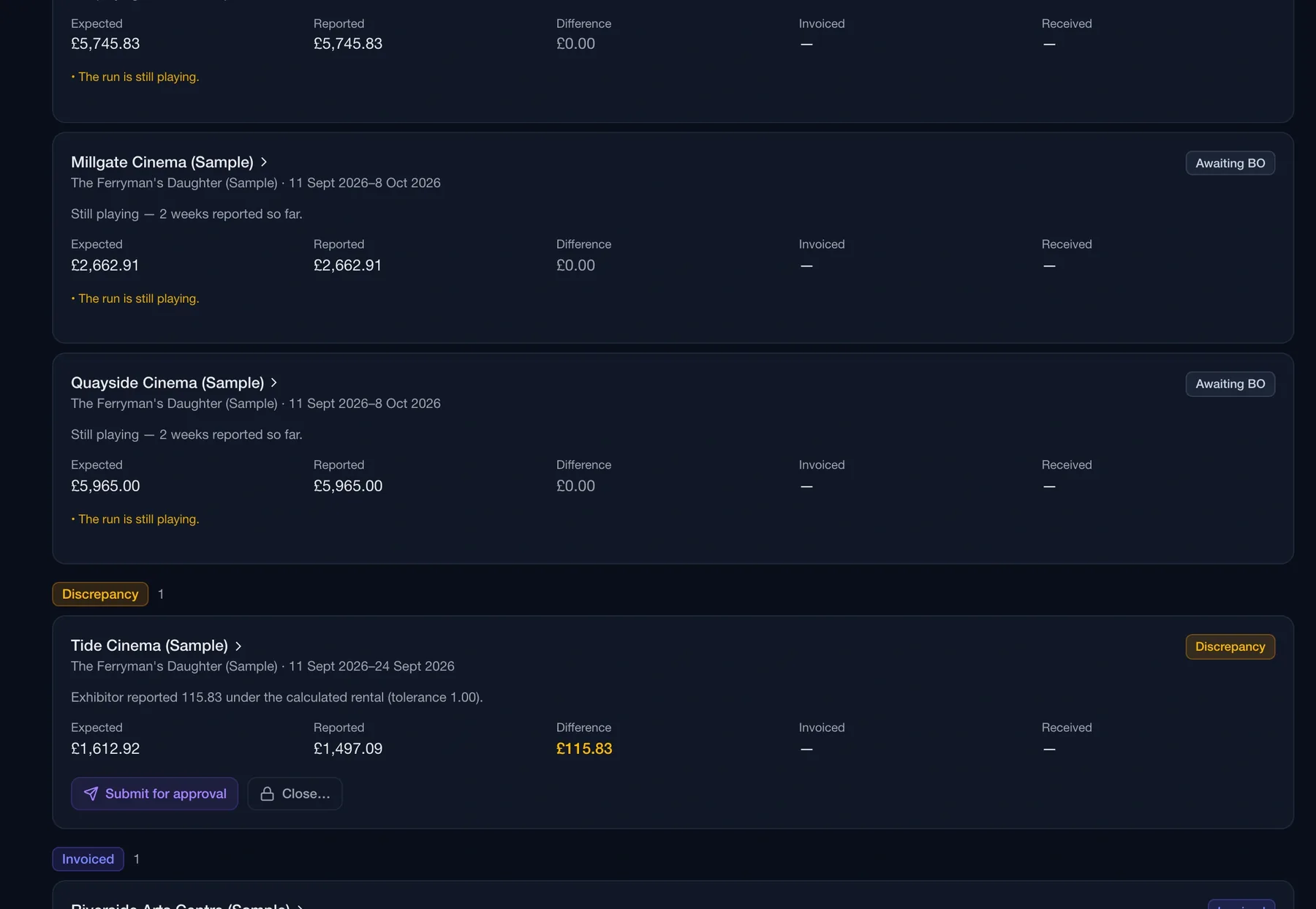
The rental is calculated from each booking's structured terms and compared with what the exhibitor reported. A short report is flagged as a discrepancy, never absorbed.
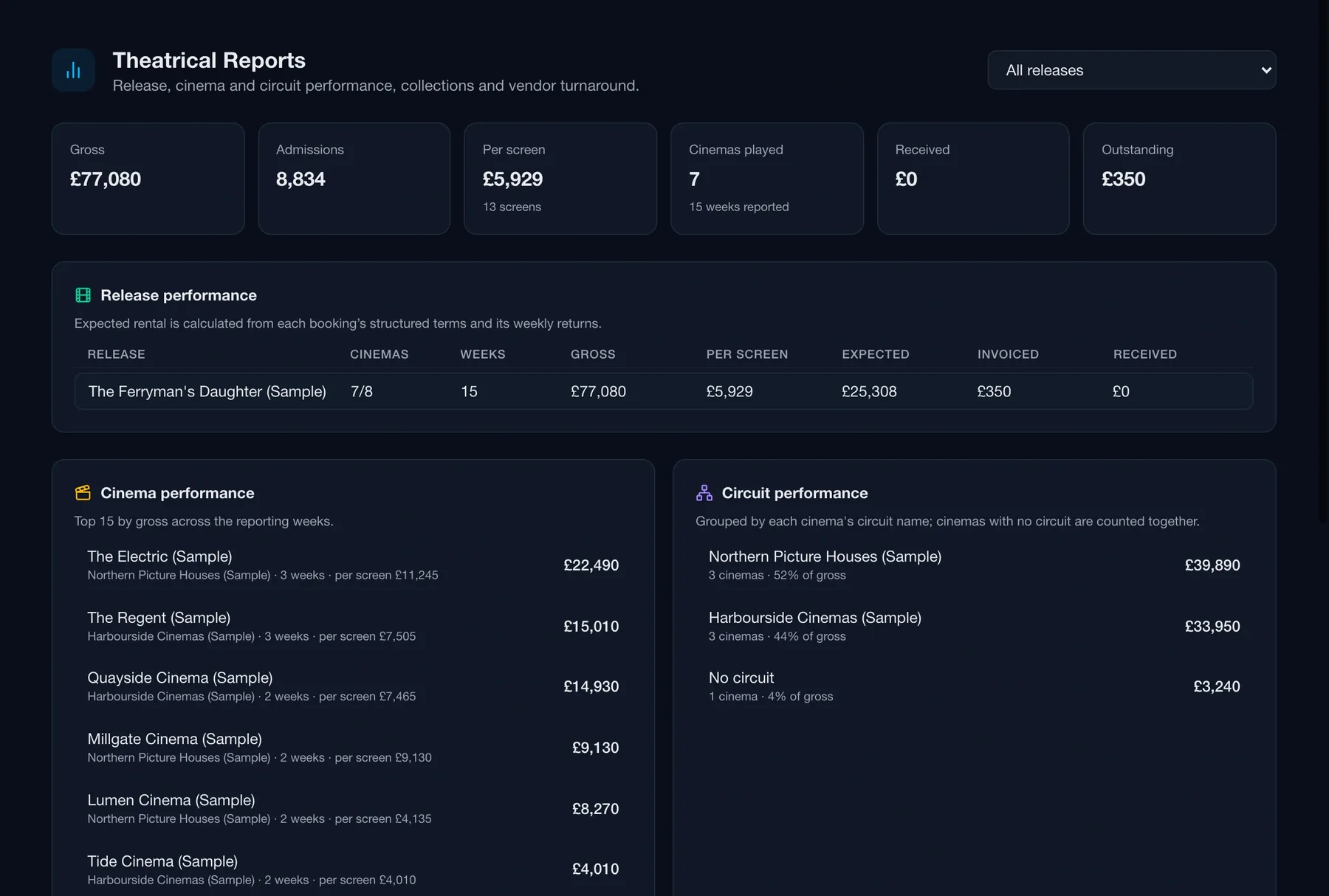
The release rolled up by cinema and by circuit, with collections ageing and vendor turnaround — the numbers a producer or financier asks for, without an export.
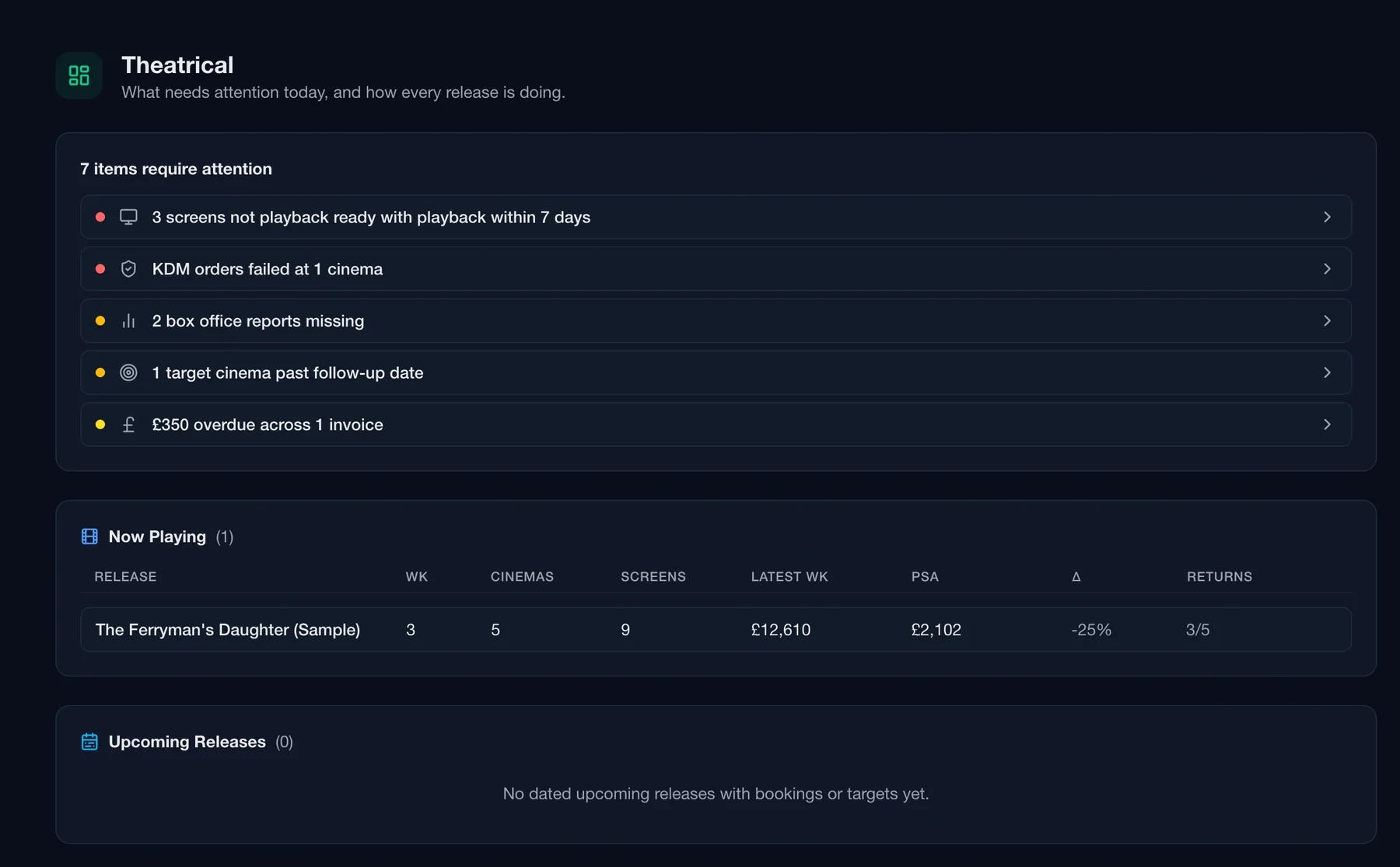
Each morning opens on what needs attention: screens that can't play yet, a failed key, box office still out, a target cinema gone quiet, and money overdue — then what's now playing and what's coming up.
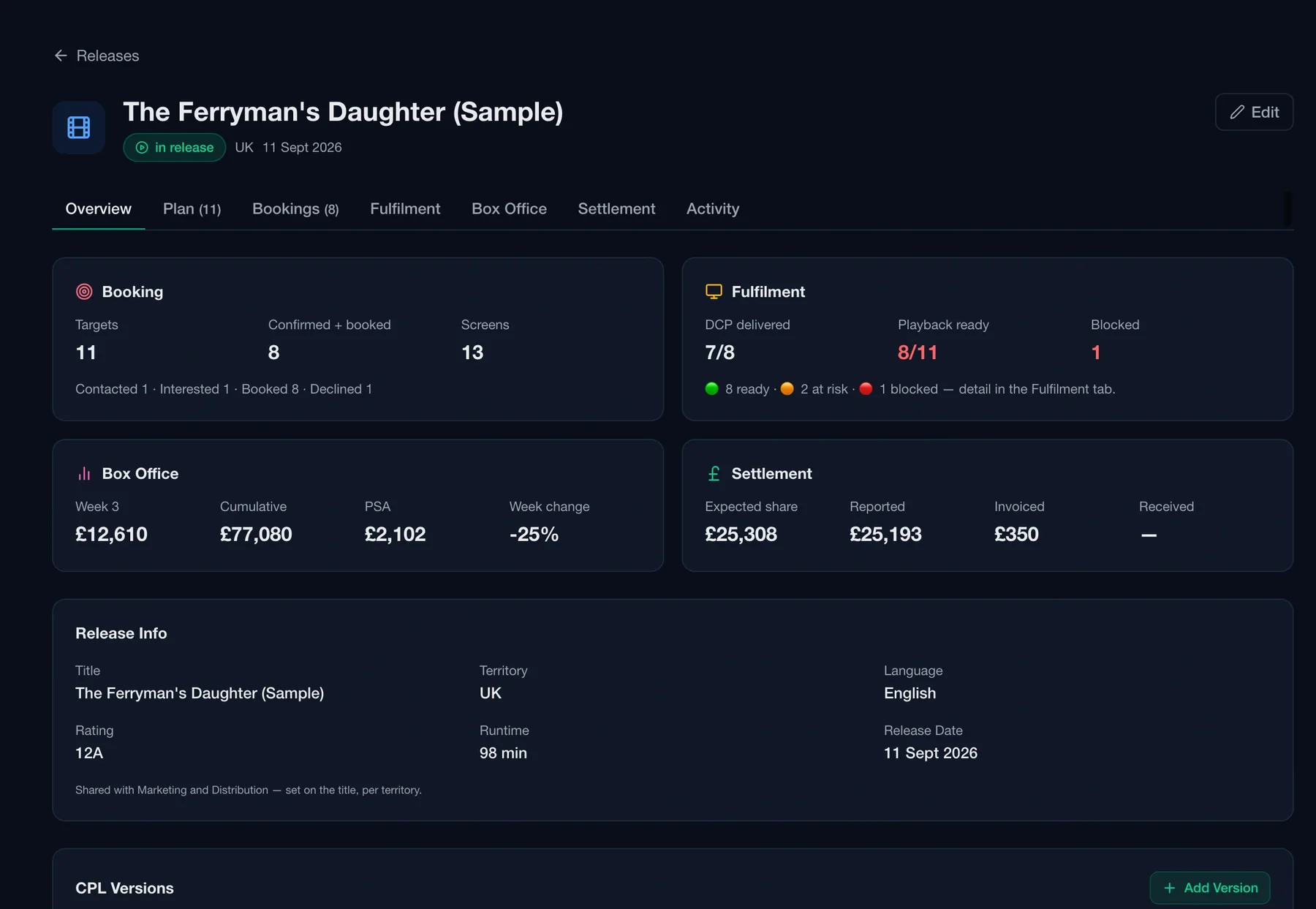
Open a release and the whole picture is there: booking targets and confirmed sites, fulfilment readiness, the latest week of box office, and settlement expected against reported — with the release info, rating, runtime and release date shared with Marketing and Distribution rather than retyped.
Plan, bookings, fulfilment, box office, settlement. Five tabs on the same release record. Every number on the overview is a link into the tab that explains it.
One latest-week derivation. The dashboard, the Box Office page and the release overview all read the same week the same way, so a figure never disagrees with itself across screens.
Shared with the rest of the title. Release dates are set on the title per territory and read by Marketing and Distribution — the film you delivered is the film you book.
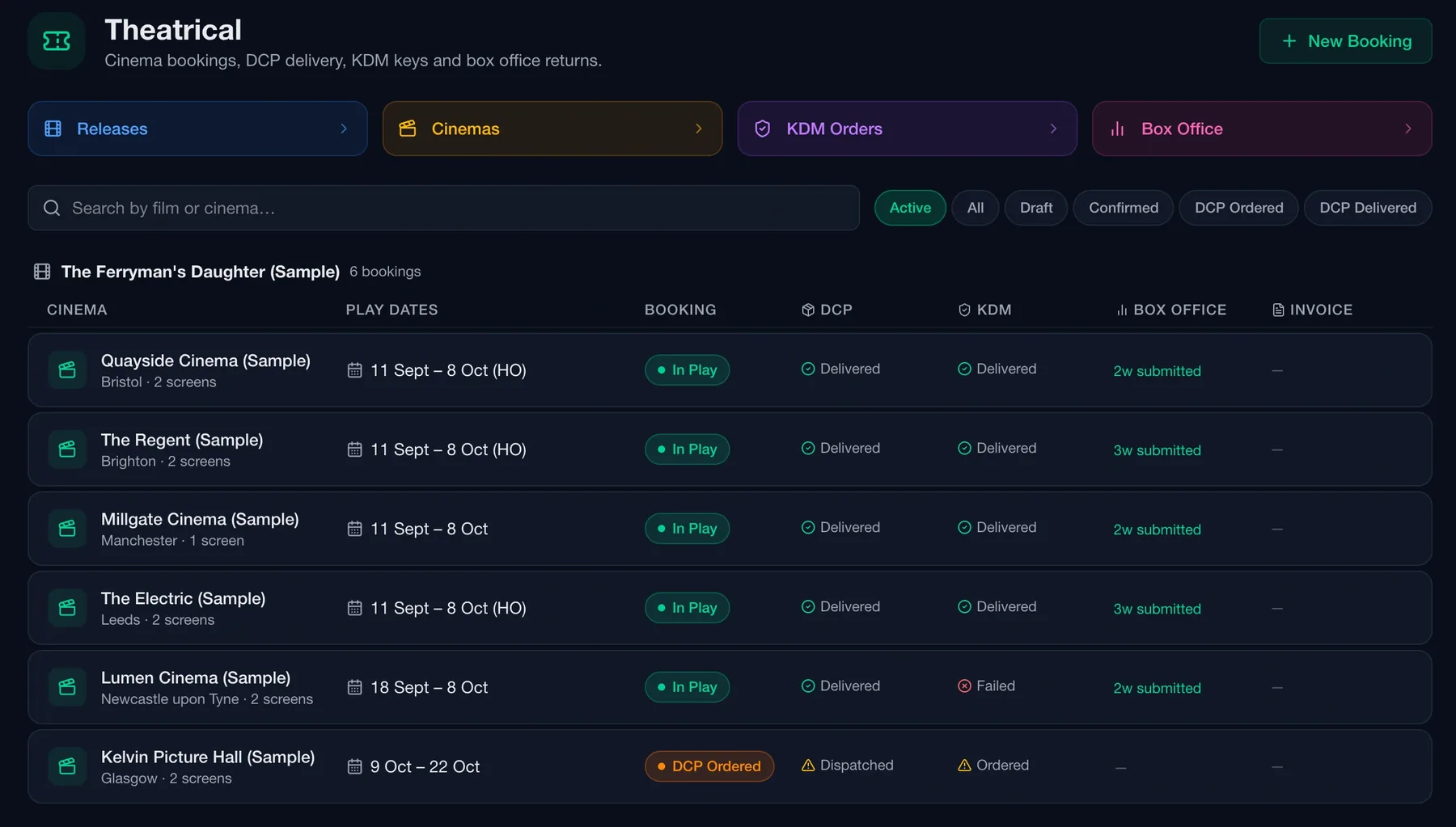
The booking board puts every cinema on one row — play dates, booking status, DCP, KDM, box office and invoice — so the gaps stand out. Filter to active, draft, confirmed, DCP ordered or DCP delivered.
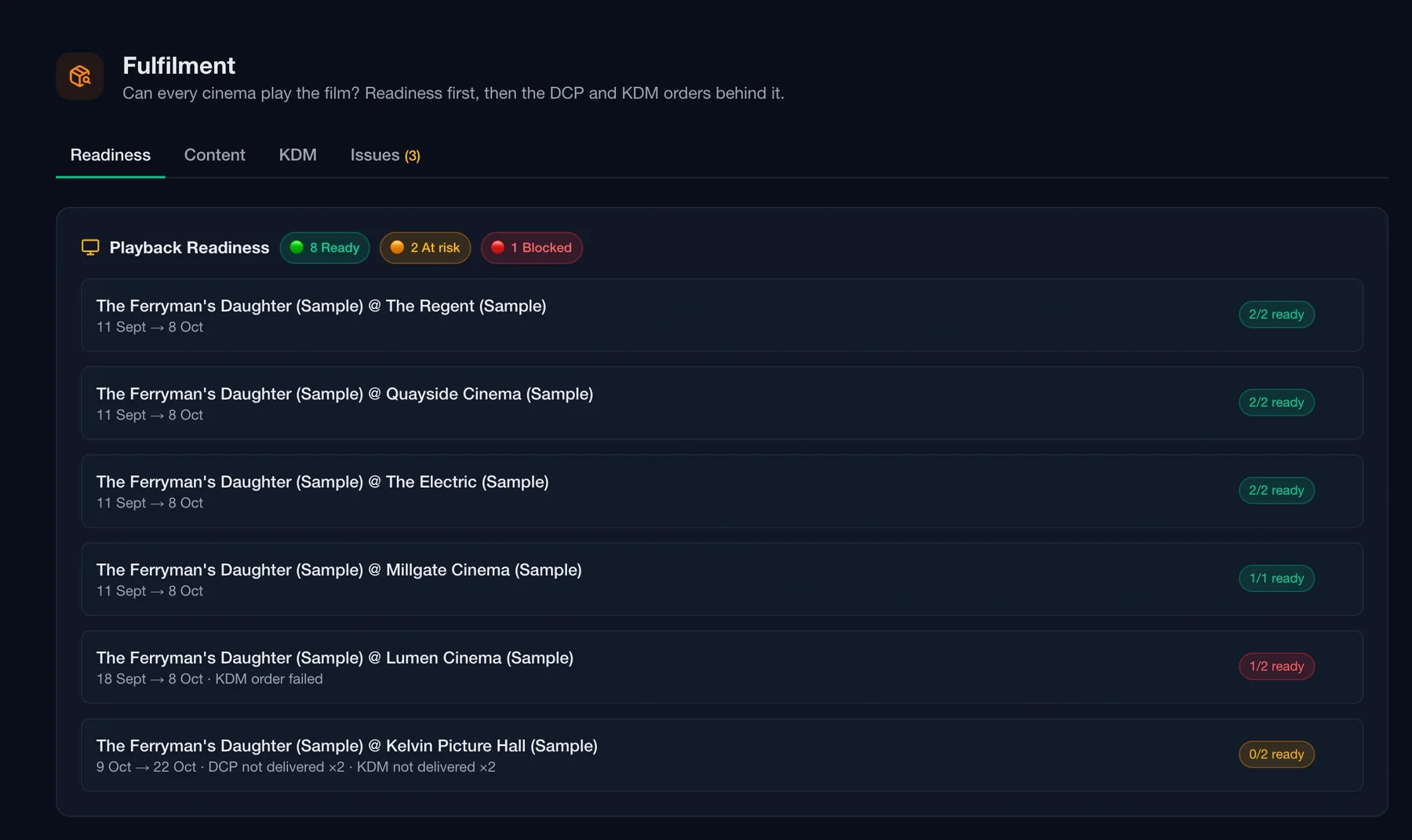
Fulfilment asks one question and answers it per screen, from the orders behind it. Readiness first; the DCP and KDM orders that explain it underneath.
Readiness per booking. Ready, at risk or blocked, with the screens-ready count — so a site days from opening with its keys still on order is visible before the phone rings.
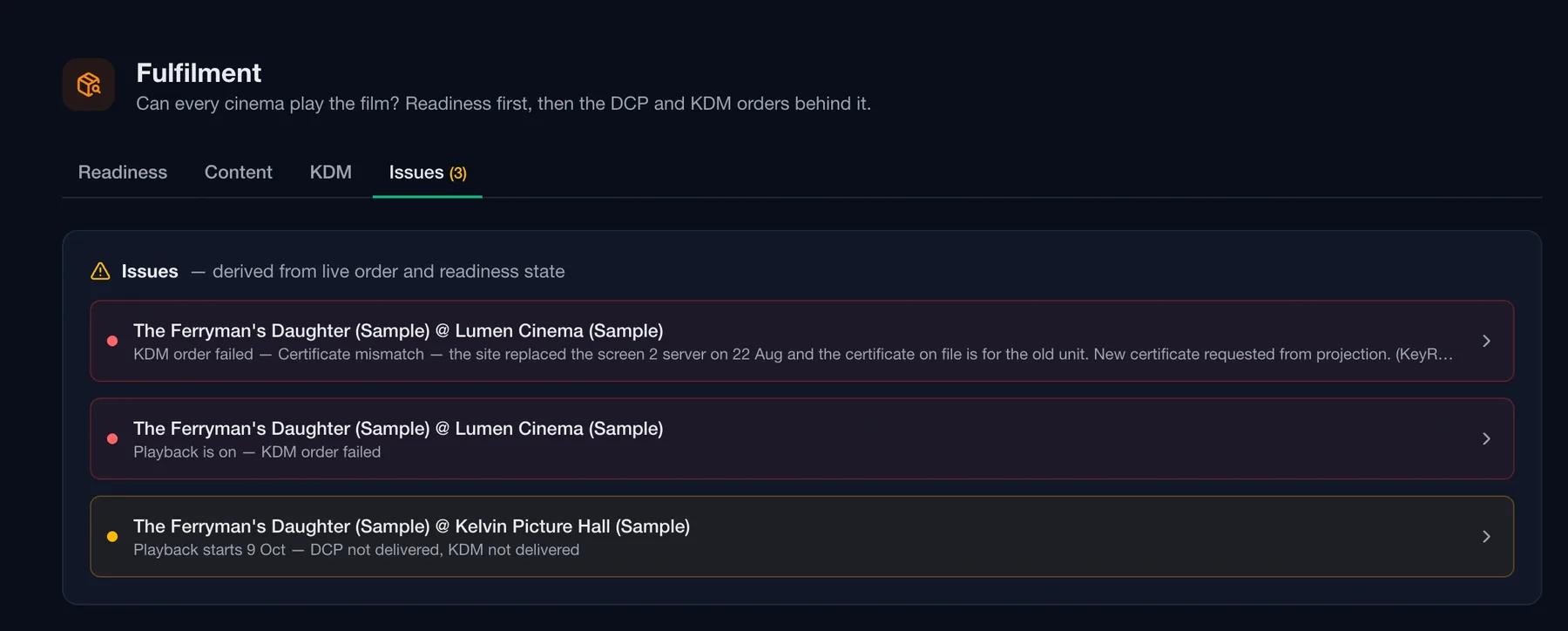
Failures arrive with a reason. Issues are derived from live order and readiness state — a certificate mismatch, a KDM not delivered — so the fix starts straight away.
Returns come in weekly, by CSV import or by hand. Missing returns are chased from your own mail client — Routine records that you asked and does not send the email for you — and each week is compared like for like, site by site, with the biggest movers and holdover candidates called out.
Like for like. Week-on-week change is computed only across sites that reported in both weeks, so a late return never reads as a collapse.
Risers and fallers. Top cinemas and biggest movers for the week, with per-screen averages and sites reporting against sites playing.
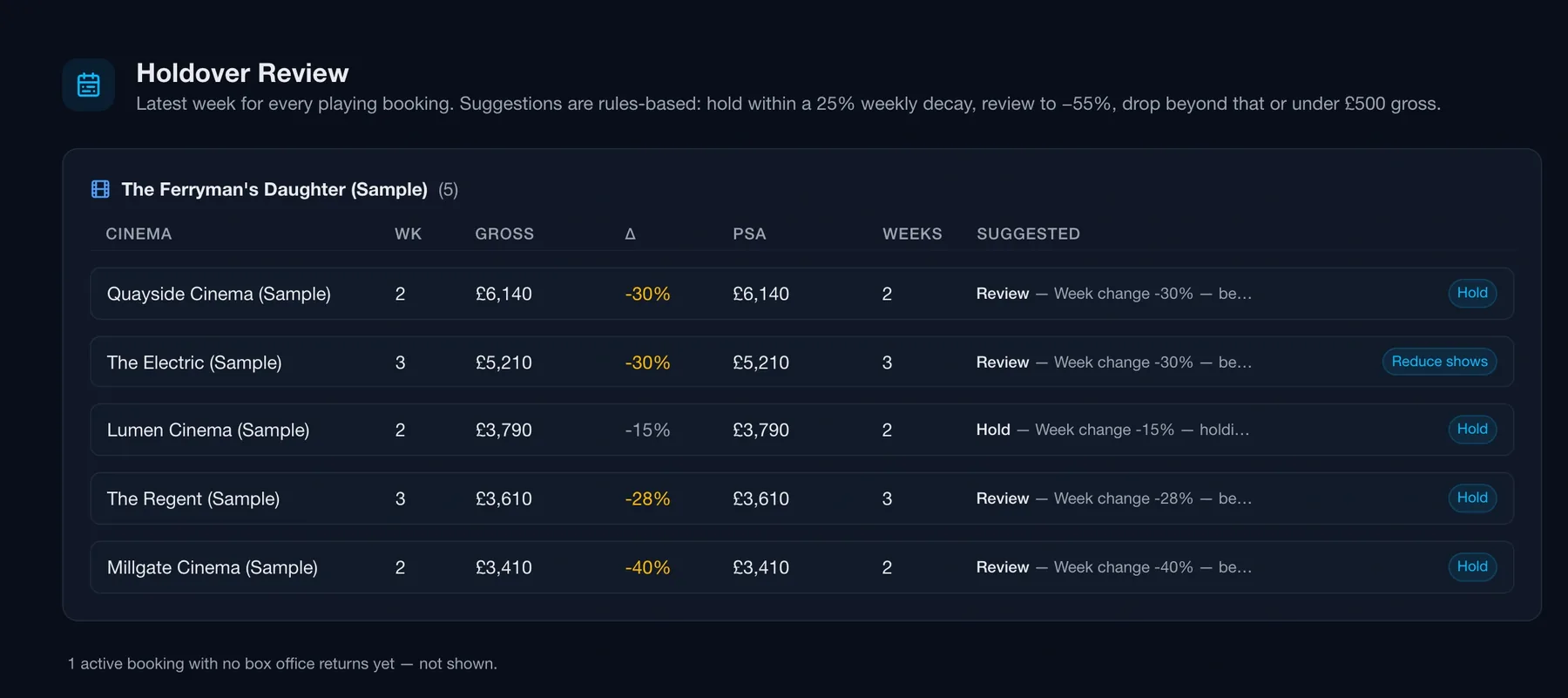
Holdover candidates. Bookings whose week-on-week change crosses your thresholds are listed for review, with a link into Holdovers.
Holdover suggestions follow simple, visible rules — hold within a weekly decay, review beyond it, drop under a floor — and you make the call against the play week. Settlement works out the rental from each booking's terms and compares it with what the exhibitor reported.
Holdovers on visible rules. Each row shows the gross, the change and the suggestion — hold, review or reduce shows — and the decision is recorded against the play week.
Rental, calculated and compared. Expected against reported per booking. A short report is flagged as a discrepancy with the amount and the tolerance, then submitted for approval or closed with a reason — never absorbed.
Gross, admissions, per-screen average and cinemas played across the release; expected rental against invoiced and received; performance by cinema and by circuit, with collections ageing and vendor turnaround alongside.
Theatrical distribution has its own vocabulary and its own headaches — per-screen KDMs, circuit relationships, weekly returns, settlement maths. Routine models all of it natively, so your team works the way the business actually works.
Contacts by function. Separate booking, delivery and KDM contacts per cinema — reach the right person without digging through email.
Vendors and turnaround. DCP and KDM orders are placed with named vendors, and the reports show how quickly each one turns an order round.
Screenings feed fulfilment. A KDM or DCP order raised from a Marketing or Distribution screening lands in the same fulfilment model as a cinema booking.
Most tools stop at delivery. Routine carries a title all the way to the cinema — so distribution masters, marketing campaigns and theatrical bookings share one source of truth, and your release calendar lines up with everything that fed it.
No handover gaps. The versions your distribution team delivered are the versions your theatrical team books.
Client portal ready. Give a producer or financier a live view of the release without another export.
Sample release included. Load a sample release from the Hub and walk the whole flow — bookings, keys, returns, settlement — before you enter a real one.
Try it free for 14 days — or tell us about your release and we'll walk you through it.
No card needed.