From stereo mixes to Dolby Atmos, from stem deliveries to international dubs — Routine gives your post-production team configurable pipelines for every audio and video format, all managed from a single production view.
Configurable pipelines for every audio and video deliverable — stereo, surround, Atmos, stems, dubs, broadcast mixes, audio description, and more.
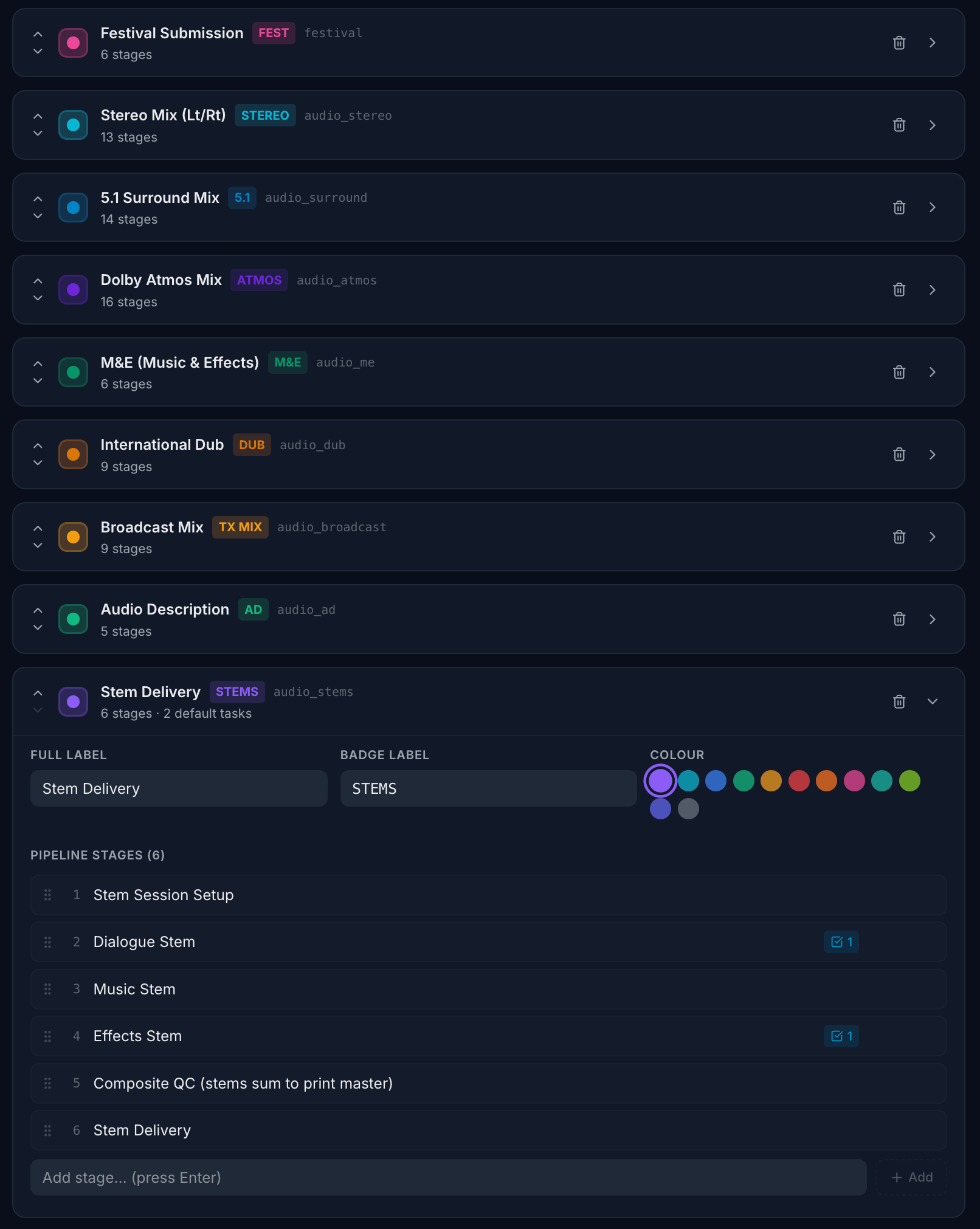
Stereo (Lt/Rt), 5.1 Surround, Dolby Atmos, M&E, International Dub, Broadcast Mix, Audio Description, and Stem Delivery — each with its own configurable stage workflow.
Track versions across 4K, HDR, SDR, Dolby Vision, and theatrical formats. Format tags sit alongside each version so your team always knows what's being delivered.
Every pipeline type moves through its own set of stages — from session setup through recording, mixing, QC, and final delivery. Configure the exact stages your facility uses.
Attach default tasks to any pipeline stage — QC checklists, client approval requests, stem delivery confirmations. Tasks are created automatically when a template is applied.
Gantt-based production schedules with phase management. See all your mixes, sessions, and deliveries on a single timeline — spot clashes before they cause problems.
Build pipeline templates for each format type once, then apply them to any new production instantly. Your facility's workflow, replicated consistently every time.
Each audio and video deliverable type gets its own pipeline with dedicated stages. A Dolby Atmos mix moves through different stages than a stem delivery or an international dub — and Routine lets you define exactly what those stages are.
8+ pipeline types out of the box. Stereo Mix, 5.1 Surround, Dolby Atmos, M&E, International Dub, Broadcast Mix, Audio Description, and Stem Delivery — each pre-configured with sensible defaults.
Add, rename, reorder stages. Your Atmos pipeline might need 16 stages while your M&E needs 6. Set each one up to reflect exactly how your facility works.
Default tasks per stage. Attach standard tasks — like "QC composite against print master" or "Phone client when arrived" — so the right checklist is created every time a version is set up.
Colour-coded by category. Audio, video, and festival pipelines are visually distinct so your team can scan the production overview at a glance.
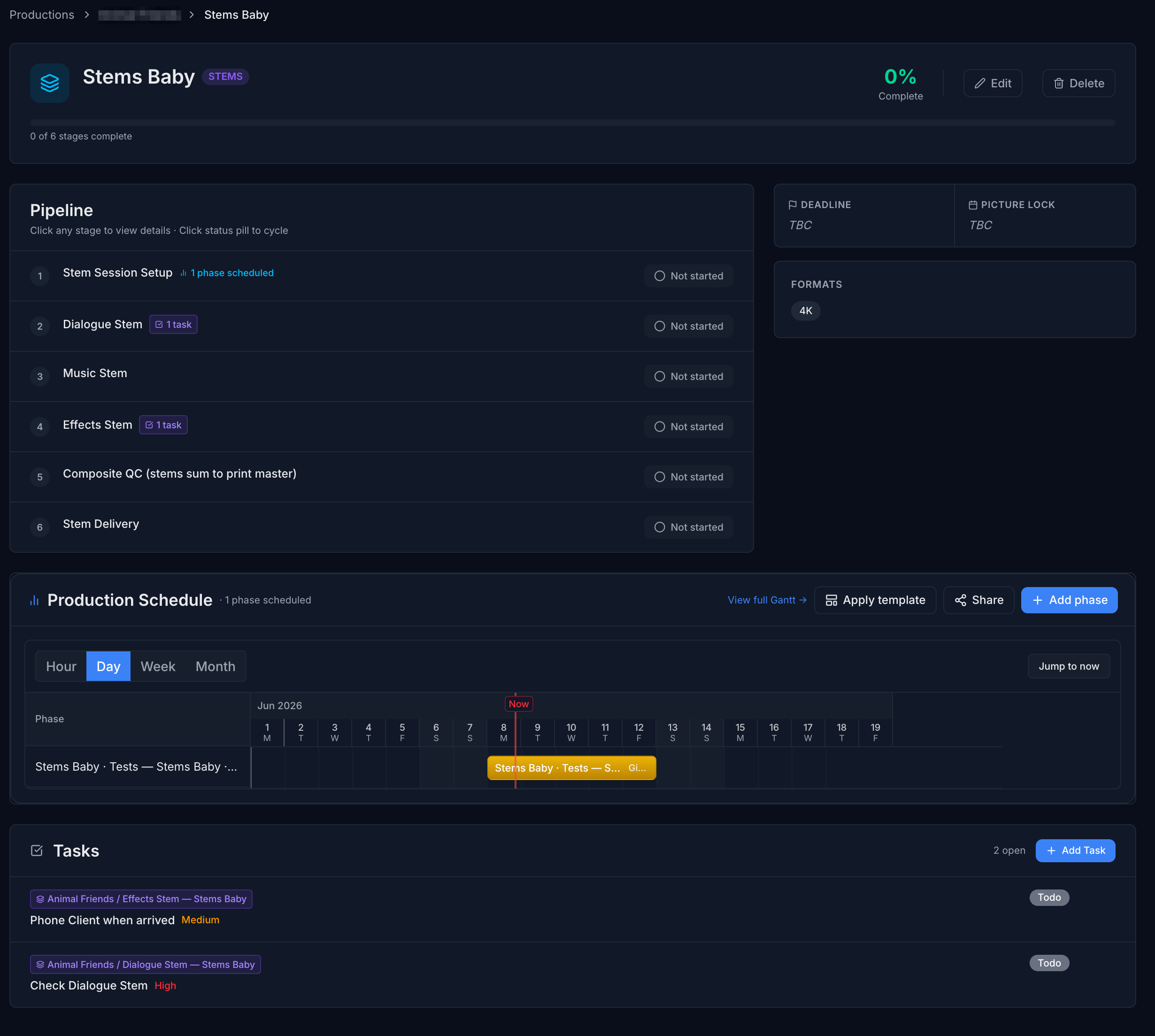
Click into any version to see its complete pipeline — from session setup through individual stem recordings, composite QC, and final delivery. Each stage tracks its own status, and tasks are attached directly where the work happens.
Pipeline progress at a glance. See how far through the workflow each version is — which stages are done, which are in progress, and which haven't started yet.
Deadline and picture lock dates. Delivery deadlines and picture lock dates sit at the top of every version, so your team always knows the constraints they're working within.
Integrated production schedule. Phase-based Gantt scheduling is embedded directly inside each version — see recording sessions, mix dates, and delivery windows without leaving the page.
Tasks where the work happens. Open tasks — like "Check Dialogue Stem" or "Phone Client when arrived" — are listed right on the version, linked to their specific pipeline stage.
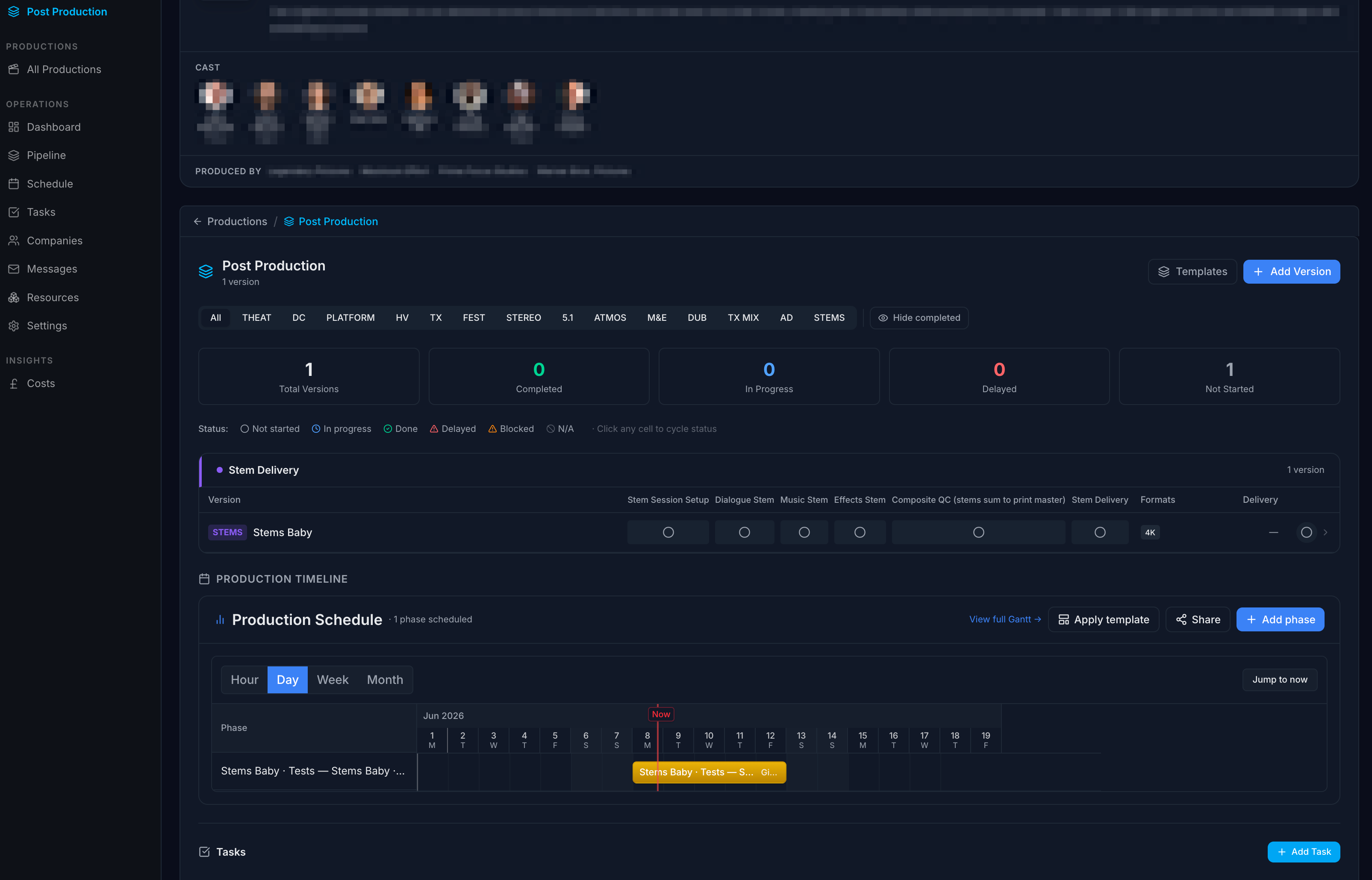
The production overview gives you a single view across every pipeline type and every version — with stage-by-stage progress dots, format tags, and delivery status. Filter by pipeline type to focus on just your Atmos mixes, just your stems, or see everything at once.
Instantly isolate Stereo, 5.1, Atmos, M&E, Dubs, Broadcast, AD, or Stems — or view everything at once across all audio and video formats.
Every version shows its pipeline progress as status dots — see at a glance which stages are complete, in progress, or not started, without opening the version.
Production schedule and open tasks sit below the version matrix — everything your post supervisor needs to manage the day is on one screen.
Set up pipeline types for each audio and video format your facility delivers — Stereo, 5.1, Atmos, Stems, Dubs, and more. Define the stages, attach default tasks, and save them as organisation-level templates.
Add versions to your production — each one inherits the pipeline template for its format type. A film might need a Stereo mix, a 5.1, an Atmos, plus stem deliveries and an M&E — set them all up in seconds.
As work progresses, update each stage — from session setup through recording, mixing, QC, and delivery. Tasks, schedules, and status all live inside the version, connected to your production timeline.
The production overview shows every version across every format in one view. Nothing slips — your post supervisor sees what's on track, what's delayed, and what needs attention, across the entire slate.
Tell us about your facility and we'll reach out to get you set up.