The platform

The parts every module
stands on.

The week-ahead briefing, the help that appears on the screen you are on, the seat types, the activity log, and the hosting. Not a module anyone licences; the floor the modules share.

Week ahead

Monday's meeting, already written.

One page of what lands in the coming week across the titles you can see: deliveries, screenings, stages due, approvals waiting. Grouped by lane, filtered by what you care about, with a present mode for the room and a Monday email to the lists you choose.

Present mode. Full screen, one lane at a time, built for the wall in the Monday meeting.

The Monday email. Recipient lists you manage, a test send before the first real one, and the same content as the page.

On paper too. A printable version for the people who still want it on the desk.
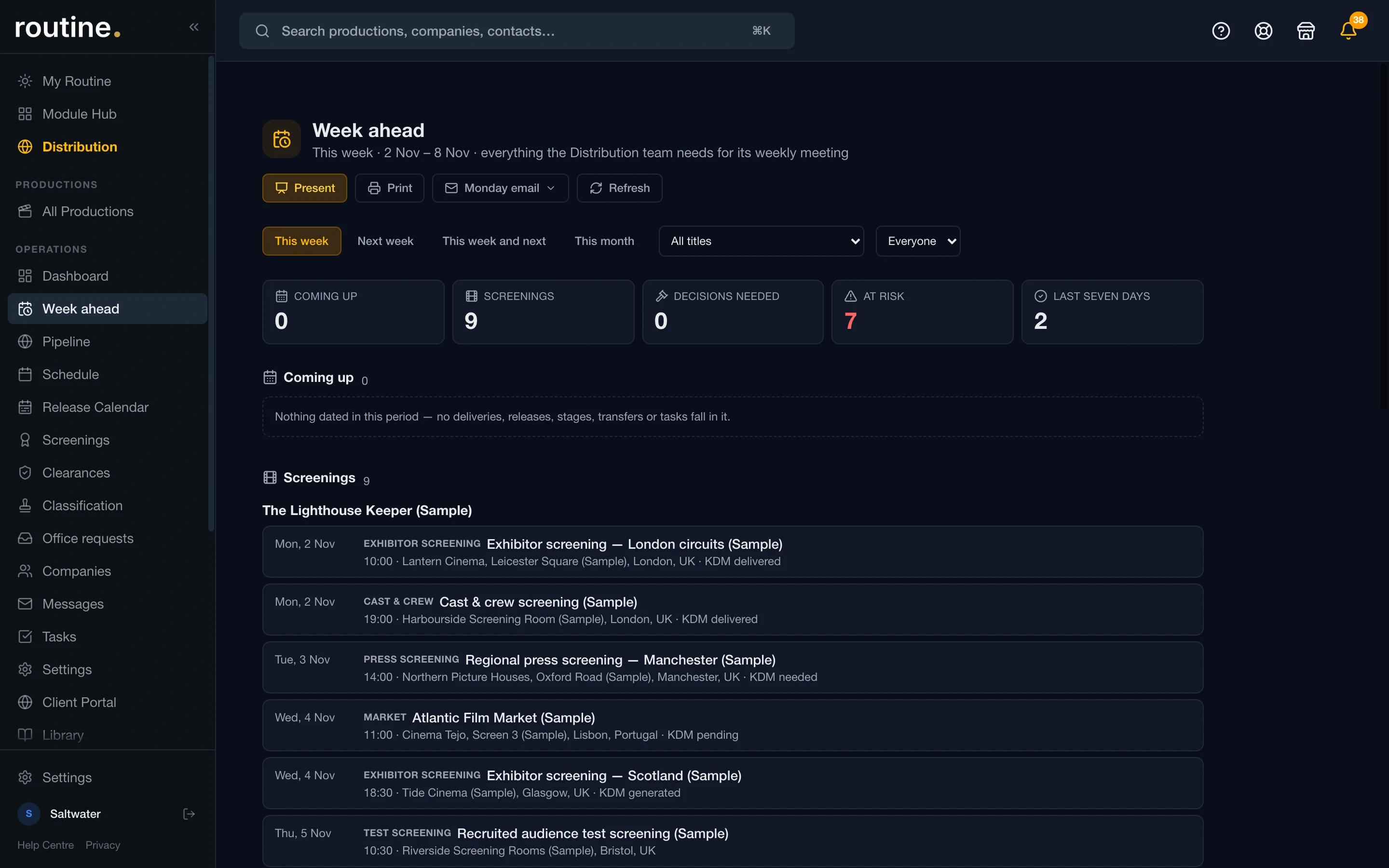
Distribution · Week ahead
The Week ahead page: this week's screenings, decisions needed, at-risk items and last seven days, with Present, Print and Monday email buttons
Help, where you are

Support that knows which screen you are on.

Built for the client who does not want to open a ticket portal, and for the studio that will not let a screenshot leave the building.

"Show me" on every screen

A short clip or a guided tour for the screen you are on, cut from the real product. Watched once, it stays out of the way; a new screen offers its own.

Report an issue, in the app

A ticket raised from the screen it happened on, with the screenshot and who you are already attached, so the first reply is an answer rather than a question. Switchable per client.

Library & Help Centre

Your organisation's own documents, versioned, with who may read each one; and a public Help Centre you can search without signing in.

Seats and control

From view-only to owner, and a record of all of it.

View-only seat

Sees what it is granted, changes nothing, exports what it may. For the board member, the funder and the auditor.

Crew seat

Schedules, call sheets, tasks and documents, never a rate or a budget. £8 a month, any modules.

Money is a grant

Finance totals sit behind an explicit per-person grant that even an owner has to be given.

Organisation activity log

Who did what, on every table, for owners and admins. Kept by the database, not the interface.

Multi-factor sign-in

A per-organisation MFA policy with backup codes, so you decide who must use it.

Calendar feeds, your domain

Tour, act and show calendars as subscriptions served from routineapp.io, never a database host in a client's calendar.

Where it runs

In the EU, isolated per organisation.

The database is hosted on Supabase in Stockholm (AWS eu-north-1) and never leaves Europe. Every table carries row-level security, so one organisation's titles, people and templates are invisible to another at the database, not merely hidden in the interface. The application is served by Vercel.

Row-level security on every table, tested by a harness that replays every migration and attacks it on each change.

Private storage for approval artwork, construction and timeline files, with signed links that expire.

Routine App Ltd, registered in England and Wales, company no. 17438259.

Straight answers

Can a client see another client's title? No. Tenancy is enforced in the database.

Can crew see the budget? No. Money columns are refused to crew seats at the policy level.

Who do I talk to? The people who built it. hello@routineapp.io.

Get started

See it on your own titles.

Fourteen days, no card, every module. Or ask for a walkthrough from someone who has run the workflow you describe.